Let’s be real for a second. You’ve spent a fortune on your gaming rig—the best GPU, a lightning-fast SSD, a monitor with a refresh rate that could make a fighter pilot dizzy. But after a marathon raid session, your back is screaming, your neck is stiff, and you feel like you just went ten rounds with a heavyweight. If this sounds familiar, the problem probably isn’t your K/D ratio; it’s your throne. This brings us to the million-dollar question every serious gamer eventually asks: What Size Gaming Chair Do I Need? It’s not about picking the coolest-looking chair; it’s about finding a piece of ergonomic equipment that fits you like a glove. This guide will break it all down, so you can stop guessing and start gaming in comfort.
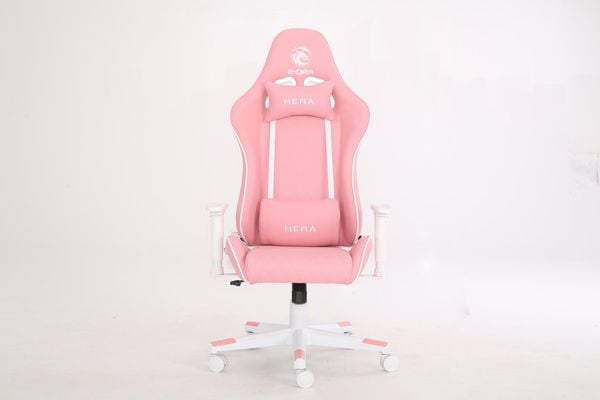
Why Your Chair’s Size is a Game-Changer
Forget the “one-size-fits-all” myth. A gaming chair that’s too big or too small isn’t just uncomfortable; it’s actively working against you. Proper sizing is the foundation of good ergonomics. When a chair fits your body’s unique dimensions, it promotes healthy posture, improves blood circulation, and reduces physical strain. This means you can stay focused, comfortable, and sharp for longer, whether you’re climbing the competitive ladder or getting lost in a sprawling open-world RPG. An ill-fitting chair, on the other hand, can lead to chronic back pain, poor circulation in your legs, and even repetitive strain injuries.
The Core Metrics: Deconstructing Gaming Chair Dimensions
To figure out what size gaming chair do i need, you have to learn the language. These are the critical measurements that separate a good fit from a day-one regret.
Backrest Height and Width
The backrest is your spine’s best friend. Its primary job is to support the natural “S” curve of your back.
- Height: A proper backrest should be tall enough to support your entire back, right up to your shoulders and neck. If you’re a taller individual (over 6′ or 183cm), a short backrest will leave your upper back and neck completely unsupported, forcing you to slouch. Look for a backrest that ends at least at shoulder height or, ideally, provides a headrest for full-body support.
- Width: The side bolsters on racing-style chairs are designed to “hug” you. If the backrest is too narrow, these bolsters will uncomfortably dig into your sides or push your shoulders forward. If it’s too wide, you won’t get any of that snug, supportive benefit.
Seat Depth and Width
This is arguably the most overlooked yet crucial dimension.
- Depth: When sitting, you should be able to place your back firmly against the backrest while leaving about two to three fingers of space between the front edge of the seat and the back of your knees. If the seat is too deep, it will press against your calves, cutting off circulation and encouraging you to slide forward, ruining your posture. If it’s too shallow, your thighs won’t be properly supported, causing discomfort and instability.
- Width: Similar to the backrest, you need enough space to sit comfortably without the side bolsters digging into your thighs. You should have a little wiggle room on each side.
Weight Capacity
This one is non-negotiable. Always choose a chair with a maximum weight capacity that is comfortably above your own weight. Exceeding this limit not only voids the warranty but can lead to premature wear and tear on the gas lift, frame, and other components. It’s a matter of both longevity and safety. Most standard chairs support up to 250-300 lbs (113-136 kg), while “Big and Tall” models can go up to 400 lbs (181 kg) or more, often featuring a reinforced steel frame for extra durability.
Bảng trống.How to Choose the Right Size Gaming Chair For Your Build
Now let’s translate those measurements into practical advice based on your body type. We’ll break it down into three common categories.
For the Petite or Shorter Gamer (Under 5’6″ / 168cm)
If you’re on the shorter side, standard gaming chairs can feel like you’re a kid sitting in an adult’s chair. You’re not just looking for a smaller chair; you’re looking for one with specific proportions.
- Key Features to Look For:
- Lower Seat Height Range: You need a chair that can go low enough for your feet to rest flat on the floor, with your knees at a 90-degree angle.
- Shorter Backrest: A massive backrest will push the neck pillow into the back of your head instead of your neck.
- Shallower Seat Depth: This is critical to ensure proper leg support without cutting off circulation behind your knees.
For the Average-Build Gamer (5’7″ – 6’0″ / 170-183cm)
This is the sweet spot where most manufacturers aim their “standard” models. You have the most options, but that doesn’t mean any chair will do.
- Key Features to Look For:
- Adjustability: This is your best friend. Look for chairs with highly adjustable features, particularly 4D armrests, which can move up/down, forward/back, in/out, and rotate.
- Check the Specs: Even in this range, dimensions vary. Pay close attention to the recommended height and weight ranges provided by the manufacturer. Don’t assume a “medium” is the same across all brands.
For the Tall and Big Gamer (Over 6’1″ / 185cm)
Trying to cram a large frame into a standard chair is a recipe for disaster. You need a chair built specifically for your stature.
- Key Features to Look For:
- “XL” or “Big and Tall” Models: These are your go-to categories. They are engineered with durability and space in mind.
- Higher Backrest: Essential for full spinal and head support.
- Wider and Deeper Seat: Provides the necessary room for your legs and frame without feeling constricted.
- Robust Weight Capacity: Look for chairs rated for at least 50 lbs more than your current weight, featuring a strong steel frame and a Class 4 gas lift.
“A gaming chair isn’t just furniture; it’s performance gear. Choosing the right size is like a pro athlete choosing the right size shoes. It directly impacts your physical health, endurance, and ultimately, your in-game performance. Never underestimate the power of a perfect fit.”
— Dr. Evelyn Reed, Ergonomics and Human Performance Consultant
Beyond the Basics: Features That Depend on Size
Some of a gaming chair’s most popular features are rendered useless if the chair isn’t the right size for your body.
- Lumbar and Neck Pillows: These are meant to support the natural curves of your cervical (neck) and lumbar (lower) spine. If the chair is too tall or too short for you, these pillows will be completely misplaced, potentially doing more harm than good by forcing your spine into an unnatural position.
- 4D Armrests: The ability to adjust armrests in every direction is a premium feature. On a properly sized chair, this allows you to position them perfectly to support your forearms, taking the strain off your shoulders and neck. If the chair is too wide, even 4D armrests might not be able to come in close enough to be effective.
- Recline and Tilt Mechanism: Feeling stable and secure when you recline depends on your center of gravity being properly balanced on the chair’s base. A chair that is too small or not rated for your weight can feel tippy and unsafe at a deep recline.
Your Pre-Purchase Sizing Checklist
Before you click “buy,” run through this quick checklist:
- [ ] Know Your Measurements: What is your exact height and weight?
- [ ] Check Manufacturer Specs: Does the chair’s recommended height/weight range include you?
- [ ] Review Seat Dimensions: Is the seat depth and width appropriate for your leg length and build?
- [ ] Assess Backrest Height: Will it support your entire back and shoulders?
- [ ] Confirm Weight Capacity: Does it safely exceed your current weight?
- [ ] Consider Your Desk Height: Can the chair’s seat height adjust to allow you to sit with your feet flat and your arms at a comfortable 90-degree angle to your desk?
Frequently Asked Questions (FAQ)
1. Can I just use a gaming chair that’s too big for me?
While it might seem better than a chair that’s too small, a chair that is too large can still cause ergonomic issues. A seat that’s too deep or wide will prevent you from using the backrest properly and can lead to poor posture and leg pain.
2. What if my height and weight fall between two different chair sizes?
If you’re in-between sizes, it’s often best to consult detailed reviews and user feedback. As a general rule, prioritize the a-chair that best fits your height and seat depth requirements. Some manufacturers also provide more detailed dimension charts that can help you make a more informed choice.
3. Does the seat material, like PU leather or fabric, affect the size I need?
The material doesn’t directly change the dimensions, but it can affect the feel of the fit. For example, firmer padding or stiff PU leather might make a chair feel more snug than one with softer foam or fabric. However, you should always base your primary decision on the actual measurements.
4. How important is the weight limit on a gaming chair?
It is critically important. The weight limit is an indicator of the chair’s structural integrity, from its steel frame to its gas lift and base. Consistently exceeding it can lead to component failure, which is a serious safety risk.
5. I’m very tall but also very slim. What kind of chair should I look for?
This is a common challenge. You’ll need to look for “XL” models that prioritize a tall backrest and high adjustability but avoid the “Big and Tall” chairs designed with an extra-wide seat that you might not need. Focus on the backrest height and seat height range first.
Conclusion: Your Perfect Fit Awaits
Ultimately, figuring out what size gaming chair do i need is the most important investment you can make in your gaming setup and your long-term health. It’s about more than just aesthetics; it’s a commitment to comfort, support, and peak performance. By understanding the key dimensions, assessing your own body type, and paying attention to the details, you can move beyond generic recommendations and find the ergonomic chair that was truly made for you. Your back will thank you for it after your next all-night gaming session.