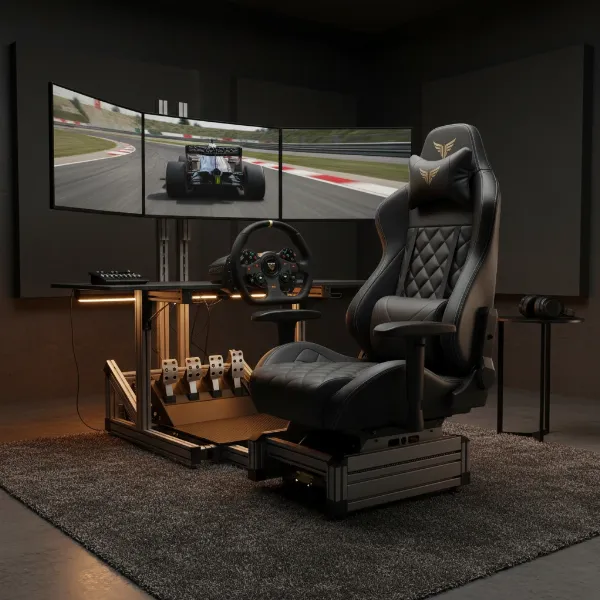
The excitement of unboxing a brand new gaming chair often comes with a subtle catch: initial stiffness. That plush, supportive feel you envisioned might instead be a rigid experience that leaves you questioning your investment. Fear not, fellow gamer and professional, for a new gaming chair, much like a new pair of shoes, requires a break-in period to truly become your ergonomic sanctuary. This guide will walk you through understanding why your new chair feels stiff and provide actionable steps to transform it into the comfortable, supportive companion you deserve.
Understanding Why New Gaming Chairs Are Stiff
When you first sit in a new gaming chair, its firmness is a deliberate design choice, not a flaw. Manufacturers often use high-density foam and durable upholstery materials to ensure longevity and consistent support over time. These materials are compressed during manufacturing and need to adapt to your body’s unique contours and weight distribution. The foam and upholstery will gradually soften and mold to you, but this process takes time and consistent use. Different chair types, from racing-style to more traditional ergonomic designs, all share this initial rigidity as their components settle.
The Importance of Breaking In Your Gaming Chair
Properly breaking in your gaming chair is more than just achieving immediate comfort; it’s an investment in your long-term health and the chair’s lifespan. An un-broken-in chair can lead to discomfort, poor posture, and even musculoskeletal issues. By actively engaging in the break-in process, you allow the chair’s materials to conform to your body, creating a personalized fit that supports optimal spinal alignment and reduces pressure points. This adaptation enhances your gaming experience, boosts productivity during work, and prevents the aches and pains associated with prolonged, uncomfortable sitting. A well-adapted chair truly becomes an extension of you, providing sustained comfort and reducing fatigue during marathon sessions.
Practical Steps to Break In Your Stiff Gaming Chair
Transforming a stiff gaming chair into a comfortable throne requires a combination of consistent use, careful adjustments, and mindful movement.
Consistent Usage is Key
|
Our Picks for the Best Gaming Chair in 2026
As an Amazon Associate I earn from qualifying purchases.
|
||
| Num | Product | Action |
|---|---|---|
| 1 | Sweetcrispy Computer Gaming Desk Chair - Ergonomic PU Leather with Comfy Lumbar Support, Height Adjustable Rolling Desk with Flip-up Armrests, for Home and Office |

|
| 2 | Gaming Chair, 400 lbs Adult Chair, High Back Computer Chair with Footrest and Linked Armrests, Office Video Game Chair with Lumbar Support (Grey) |
|
| 3 | TRALT Office Chair Ergonomic Desk Chair, 330 LBS Home Mesh Office Desk Chairs with Wheels, Comfortable Gaming Chair, High Back Office Chair for Long Hours (White) |
|
| 4 | BestOffice Gaming Chair Office Chair Ergonomic Desk Chair Racing Style Gaming Chair with Lumbar Support, Swivel Rolling Base, and Comfortable Padded Seat for Women and Men |
|
| 5 | BestOffice High-Back Gaming Chair PC Office Chair Computer Racing Chair PU Desk Task Chair Ergonomic Executive Swivel Rolling Chair with Lumbar Support for Back Pain Women, Men,White |
|
| 6 | GTPLAYER Gaming Chair,Office Chair with Pocket Spring Lumbar Support, Ergonomic Comfortable Wide Office Desk Computer Chair with Outward Fixed Soft Armrests and Footrest (PU Leather, Black) |
|
| 7 | Razer Iskur V2 X Ergonomic Gaming Chair: Built-in Lumbar Support - Widened Seat Base - High Density Foam Cushions - Adjustable 152 Degree Recline - 2D Armrests - Plush Fabric Finish - Black |
|
| 8 | Ergonomic Office Chair with Footrest - Adjustable Lumbar Support & Headrest, 90-160° Reclining Mesh Back Computer Chair - Home Office/Gaming, 350lbs Capacity (SGS Certified) |
|
| 9 | Gaming Chair with Linkage Armrest & Footrest, High Back Video Gaming Chair, Black/White |
|
| 10 | Breathable Fabric Gaming Chair with Footrest, Height Adjustable Game Chair, Video Gaming Chair for Gaming Room, Living Room and Office - Blue/Light Grey |
|
The most fundamental step in breaking in your gaming chair is simply using it. Regular, consistent use allows the foam and upholstery to gradually soften and adapt to your body’s pressure and heat. Don’t feel obligated to sit for eight hours straight initially. Instead, start with shorter, frequent sitting sessions, perhaps 1-2 hours at a time, gradually increasing your usage over two weeks as your body and the chair adapt. The CDC NIOSH ergonomics guidelines emphasize this gradual adaptation for new ergonomic seating.
Adjusting Your Chair Settings
Before prolonged use, take the time to fine-tune your chair’s various settings. This initial calibration is critical for both comfort and proper ergonomic support.
- Seat Height and Depth: Adjust the seat height so your feet rest flat on the floor with your knees forming a 90-degree angle. If your desk is too high, consider a footrest. Ensure the seat depth allows a few inches between the back of your knees and the seat edge to prevent circulation issues.
- Lumbar Support: Position the lumbar support to fill the natural curve of your lower back, typically just above your beltline. It should provide a gentle “hug,” not a forceful push, promoting correct spinal alignment.
- Armrests: Set your armrests so your elbows are at approximately a 90-degree angle, with your forearms parallel to the floor and shoulders relaxed. Adjustable 3D or 4D armrests allow for optimal positioning to reduce tension in your neck, shoulders, and wrists.
- Recline and Tilt Tension: Experiment with the recline angle. A slight recline of 100-110 degrees can balance support and relaxation, reducing spinal compression. Adjust the tilt tension knob, usually located under the seat, to control the effort needed to recline, ensuring it’s not too stiff or too loose.
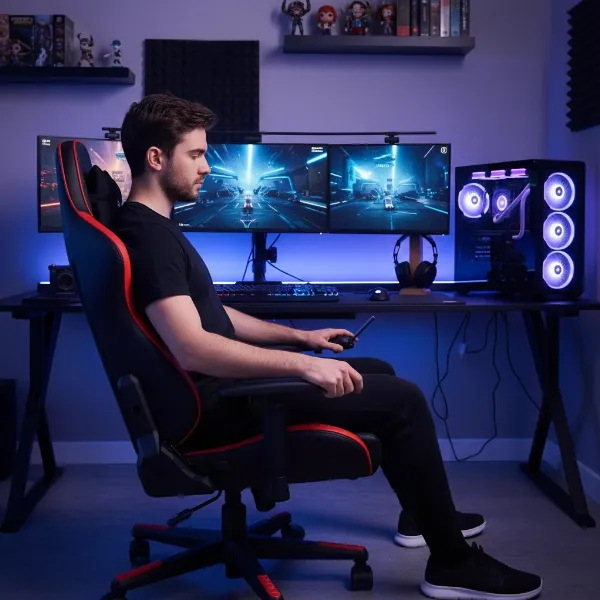 A person adjusting various settings on a new gaming chair, including seat height, armrests, and backrest angle, to optimize comfort and ergonomics.
Applying Gentle Pressure
Beyond just sitting, actively engage with your chair to help the materials conform. Gently rock back and forth, lean from side to side, and shift your weight periodically. This dynamic movement encourages the foam to compress and mold more effectively. For areas that feel particularly stiff, you can apply gentle, sustained pressure. Some users find temporary seat cushions helpful to ease pressure points during this initial phase, especially on the seat pan or for additional lumbar support [1, “11 Ergonomic Seating Solutions for Gaming Chairs…”, 2, “How To Make Your Gamer Chair MUCH More Comfortable…”].
Warmth and Movement
Room temperature can subtly affect a chair’s materials. Warmer environments tend to soften foam and leather, potentially speeding up the break-in process. Incorporating light stretches and movement while seated, such as shoulder rolls or seated twists, can also help your body adapt and improve circulation, reducing overall stiffness. Consider the “20-8-2 sitting rhythm” (20 minutes sitting, 8 minutes standing, 2 minutes moving) to reduce prolonged static sitting and facilitate adaptation [3, “Adjust Your Setup for Long Study Days | Eureka Ergonomic”].
The Role of Materials
The type of material used in your gaming chair significantly impacts its break-in period:
- Mesh Chairs: Generally adapt fastest, typically within 1-2 weeks, offering firm yet breathable support.
- Memory Foam Chairs: Conform due to heat and weight, usually taking 2-3 weeks to mold to your body.
- Leather Chairs (including PU Leather): These often take the longest, around 3-4 weeks, and may require specific maintenance during this time to prevent cracking.
Understanding these differences helps set realistic expectations for when your chair will feel truly comfortable.
How Long Does It Take to Break In a Gaming Chair?
The break-in period for a gaming chair is not a one-size-fits-all timeline. It varies depending on the chair’s materials, your body weight, and how consistently you use it. Generally, you can expect the initial stiffness to subside over several weeks. Mesh chairs might feel comfortable within 1-2 weeks, while memory foam and hybrid designs typically take 2-3 weeks. Leather chairs, known for their durability and initial firmness, often require 3-4 weeks to fully conform. Some high-end ergonomic chairs, such as those from Herman Miller, may even require up to 4 weeks for users to fully adapt and for the chair to break in [2, “Just got a Logitech embody, how long does it take to break in? – Reddit”]. Many users report feeling a noticeable difference after a few weeks, but full customization to your body can take a month or more. Patience is key, as is consistent use and adjustment.
> “It’s not uncommon for a new ergonomic chair to require a few weeks for both the chair and your body to adjust, especially if you’re transitioning from a less supportive setup.” – David Crandall, Crandall Office Furniture [4, “Is it normal to have a ‘break in period’…”].
Advanced Tips for Stubbornly Stiff Chairs
If your gaming chair remains stubbornly stiff after a few weeks, consider these advanced strategies:
- Temporary Seat Cushions: High-quality memory foam or gel seat cushions can significantly enhance comfort and relieve pressure points while the chair continues to break in. These can be a game-changer for easing initial discomfort.
- Gentle Massaging: For very firm foam, carefully applying gentle pressure or even light massaging to the stiffest areas can sometimes encourage faster softening. Be cautious not to damage the upholstery.
- Check for Defects: If discomfort persists despite diligent break-in efforts and adjustments, and especially if you experience new aches or pains, it’s wise to contact the manufacturer. There might be a manufacturing defect or an issue with a specific component. Many reputable brands offer return windows or warranty support for such situations.
Maintaining Your Gaming Chair for Lasting Comfort
Once your gaming chair is comfortably broken in, ongoing maintenance helps preserve its ergonomic benefits and extend its lifespan:
- Regular Cleaning: Keep the upholstery clean according to the manufacturer’s instructions to prevent material breakdown. Mesh chairs might need vacuuming, while leather may require conditioning.
- Periodic Adjustments: Revisit your chair settings periodically. Your body’s needs can change, and minor tweaks to seat height, lumbar support, and armrests can maintain optimal comfort.
- Avoid Extreme Temperatures: Protect your chair from direct sunlight or extreme cold, which can degrade materials and affect their firmness over time.
Conclusion
Embracing the break-in period for your new stiff gaming chair is an essential step toward achieving lasting comfort and optimal ergonomic support. While initial stiffness can be a challenge, understanding that it’s a natural part of the chair’s adaptation process allows you to approach it with patience and a proactive mindset. By consistently using your chair, meticulously adjusting its settings to fit your body, incorporating movement, and being mindful of the material’s characteristics, you’ll soon transform that rigid new seat into a personalized comfort hub. Don’t underestimate the power of fine-tuning and gentle persistence; a properly broken-in gaming chair is key to healthier posture, reduced fatigue, and an enhanced gaming or working experience.
What are your go-to strategies for breaking in new ergonomic chairs?
Frequently Asked Questions
Is it normal for a new gaming chair to feel uncomfortable at first?
Yes, it is entirely normal for a new gaming chair to feel stiff or even uncomfortable initially. This is due to the high-density foam and new upholstery needing time to compress and mold to your unique body shape. Your body also needs time to adjust to a new, potentially more ergonomic posture [3, “Is it normal to have a ‘break in period’…”].
How can I speed up the break-in process for my gaming chair?
While there’s no instant fix, you can accelerate the process through consistent daily use, actively shifting your weight, and making regular micro-adjustments to the chair’s settings. Using a temporary seat cushion can also provide immediate relief and assist in breaking down the foam’s initial rigidity [2, “How To Make Your Gamer Chair MUCH More Comfortable…”].
How do I know if my gaming chair is fully broken in?
Your gaming chair is likely fully broken in when it feels customized to your body, offering consistent comfort and support without any noticeable stiff spots or pressure points. You should be able to sit for extended periods without discomfort, and the materials will have visibly softened and conformed to your shape.
Should I use external cushions with my new gaming chair?
External cushions, especially memory foam seat cushions or lumbar pillows, can be beneficial during the break-in period to alleviate discomfort and provide temporary additional support. They can help ease the transition and promote the chair’s materials conforming more quickly to your body [1, “11 Ergonomic Seating Solutions for Gaming Chairs…”, 2, “New chair is way harder than the last one…”].