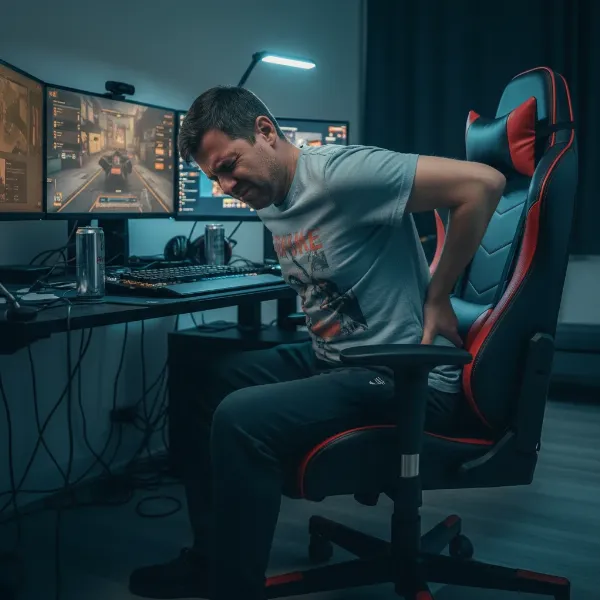
Are you spending countless hours immersed in virtual worlds, only to emerge with a stiff neck, sore back, and that tell-tale “gamer hunch”? You’re not alone. The thrill of gaming often comes at the cost of our posture, leading to discomfort and potential long-term health issues. But what if the right gaming chair, combined with smart setup choices, could transform your gaming experience from painful to perfectly ergonomic? This comprehensive guide will equip you with the knowledge to select and configure the ideal gaming chair, turning your battle station into a sanctuary for both peak performance and lasting spinal health. Say goodbye to slouching and hello to a comfortable, hunch-free future in gaming.
Overview of Gaming Chairs
A gaming chair is more than just a seat; it’s a critical component of an ergonomic setup, specifically designed to support the body during extended periods of sitting. Unlike standard office chairs, many gaming chairs feature aggressive contours, higher backrests, and often include neck and lumbar pillows, all aimed at promoting a more upright and supported posture.
The evolution of gaming chairs stems from a growing awareness of the physical demands of long gaming sessions. Early models often prioritized aesthetics inspired by racing car seats, but modern designs increasingly integrate advanced ergonomic principles to address common issues like “gamer hunch” and “tech neck.” Today’s market offers various types, from the popular “racer” style chairs to more understated ergonomic chairs, and even hybrid designs that blend professional office chair comfort with a gaming aesthetic. The key differentiator for preventing slouching lies in their adjustable features, which allow gamers to tailor the chair to their specific body dimensions and preferred sitting posture.
The Benefits of Using a Gaming Chair for Posture
Investing in a high-quality gaming chair is a proactive step towards safeguarding your health and enhancing your gaming prowess. The benefits extend far beyond mere comfort, directly combating the physical tolls of prolonged play.
Primarily, a well-designed gaming chair dramatically improves sitting posture and supports spinal health. By providing targeted lumbar and neck support, these chairs help maintain the natural “S” curve of your spine, preventing the forward rounding characteristic of a gamer’s hunch. This alignment reduces strain on your back muscles and intervertebral discs, mitigating the risk of chronic pain, muscle imbalances, and even degenerative conditions.
Furthermore, ergonomic gaming chairs significantly increase comfort and reduce fatigue during marathon gaming sessions. With proper support, your muscles don’t have to work overtime to keep you upright, allowing you to focus on the game rather than on discomfort. This reduced physical strain directly translates to improved stamina and endurance, enabling you to play longer without feeling drained.
Beyond physical well-being, good posture can surprisingly boost your gaming experience and work productivity. When your body is properly aligned, blood circulation improves, ensuring essential nutrients and oxygen reach your muscles and brain efficiently. This can sharpen mental focus, enhance cognitive performance, and lead to quicker reaction times and better in-game accuracy. For streamers or content creators, a professional and comfortable setup also creates a more positive and engaging personal style for their workspace.
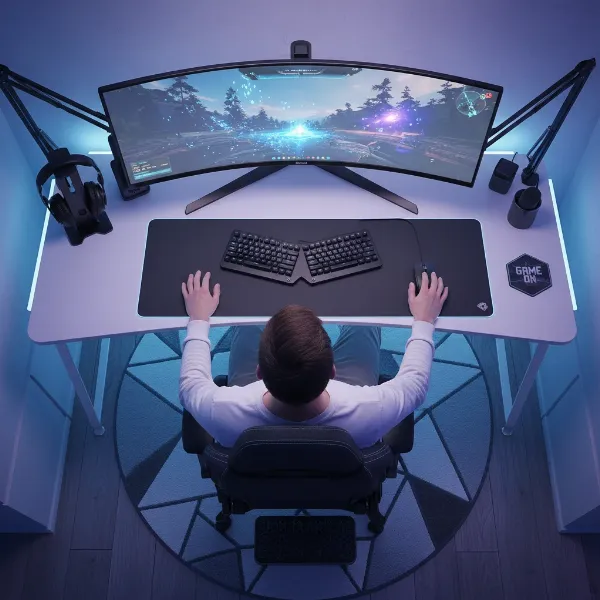 An overhead shot of a perfectly set up ergonomic gaming station with a gamer sitting in ideal posture, monitor at eye level, hands on keyboard/mouse with neutral wrists, and feet flat on the floor.
Key Factors When Choosing a Gaming Chair for Hunch Prevention
Selecting the right gaming chair requires careful consideration of several factors, each playing a crucial role in preventing poor posture and its associated discomfort.
Material Considerations
The material of your gaming chair impacts both comfort and durability, especially during long sessions.
- Real Leather: Offers a premium feel and breathability, but can be expensive and requires specific maintenance. While durable, it may not be ideal for gamers who tend to sweat a lot, as it can trap heat.
- PU Leather: A popular choice for its cost-effectiveness and ease of cleaning, mimicking the look of real leather. However, it can sometimes be less breathable, potentially leading to discomfort during extended play. It’s also prone to cracking over time if not well-maintained.
- Fabric: Often the most breathable option, allowing for better airflow and reducing sweat buildup. Fabric chairs tend to be softer and more comfortable for some, though they may be more susceptible to staining and wear than leather alternatives. Mesh variants offer excellent ventilation.
|
Our Picks for the Best Gaming Chair in 2026
As an Amazon Associate I earn from qualifying purchases.
|
||
| Num | Product | Action |
|---|---|---|
| 1 | Breathable Fabric Gaming Chair with Footrest, Height Adjustable Game Chair, Video Gaming Chair for Gaming Room, Living Room and Office - Blue/Light Grey |

|
| 2 | Razer Iskur V2 X Ergonomic Gaming Chair: Built-in Lumbar Support - Widened Seat Base - High Density Foam Cushions - Adjustable 152 Degree Recline - 2D Armrests - Plush Fabric Finish - Black |
|
| 3 | Gaming Chair, 400 lbs Adult Chair, High Back Computer Chair with Footrest and Linked Armrests, Office Video Game Chair with Lumbar Support (Grey) |
|
| 4 | Gaming Chair with Linkage Armrest & Footrest, High Back Video Gaming Chair, Black/White |
|
| 5 | TRALT Office Chair Ergonomic Desk Chair, 330 LBS Home Mesh Office Desk Chairs with Wheels, Comfortable Gaming Chair, High Back Office Chair for Long Hours (White) |
|
| 6 | Sweetcrispy Computer Gaming Desk Chair - Ergonomic PU Leather with Comfy Lumbar Support, Height Adjustable Rolling Desk with Flip-up Armrests, for Home and Office |
|
| 7 | BestOffice Gaming Chair Office Chair Ergonomic Desk Chair Racing Style Gaming Chair with Lumbar Support, Swivel Rolling Base, and Comfortable Padded Seat for Women and Men |
|
| 8 | BestOffice High-Back Gaming Chair PC Office Chair Computer Racing Chair PU Desk Task Chair Ergonomic Executive Swivel Rolling Chair with Lumbar Support for Back Pain Women, Men,White |
|
| 9 | Ergonomic Office Chair with Footrest - Adjustable Lumbar Support & Headrest, 90-160° Reclining Mesh Back Computer Chair - Home Office/Gaming, 350lbs Capacity (SGS Certified) |
|
| 10 | GTPLAYER Gaming Chair,Office Chair with Pocket Spring Lumbar Support, Ergonomic Comfortable Wide Office Desk Computer Chair with Outward Fixed Soft Armrests and Footrest (PU Leather, Black) |
|
Frame and Base Stability
The underlying structure of your gaming chair is paramount for stability and long-term support.
- Frame Materials: High-quality chairs typically feature steel or aluminum frames for superior durability and strength, ensuring the chair can withstand years of use and maintain its structural integrity. Wooden frames are less common in dedicated gaming chairs but can be found in some ergonomic designs. A robust frame prevents wobbling and provides a solid foundation for ergonomic adjustments.
- Base Design: A sturdy, wide five-star base made of metal (aluminum or steel) is essential for stability. The number and quality of wheels (casters) also contribute to ease of movement and stability. Poorly constructed bases can lead to instability, forcing you to shift your posture to compensate, which ultimately defeats the purpose of an ergonomic chair.
Size and Weight Capacity
A chair must fit your body size to provide effective ergonomic support.
- Choosing the Right Size: Gaming chairs come in various sizes (small, medium, large, XL). It’s crucial to select one that matches your height and weight. If a chair is too large, you might not be able to utilize the lumbar and neck support correctly. If it’s too small, it can restrict movement and fail to provide adequate support, especially for your shoulders and hips.
- Checking Max Weight: Always verify the chair’s maximum weight capacity. Exceeding this limit not only risks damaging the chair but also compromises its ergonomic features and stability, potentially leading to unsafe sitting conditions and poor posture.
Adjustability Features for Optimal Ergonomics
Adjustability is the cornerstone of any good ergonomic gaming chair, allowing you to customize it to your unique body and combat the “gamer hunch.”
- Seat Height: The ability to adjust the seat height ensures your feet can rest flat on the floor, with your knees at approximately a 90-degree angle. If your feet don’t reach, a footrest is a wise addition.
- Recline and Tilt: A reclining backrest, ideally between 90 to 110 degrees, supports the spine’s natural curvature, with around 100 degrees often recommended for a neutral, comfortable position during active gaming. Forward tilt can also support those who prefer to lean forward.
- Armrest Adjustments: Armrests that adjust in multiple dimensions (2D, 3D, 4D) are vital. They should allow your elbows to rest comfortably at a 90-degree angle, relieving strain from your shoulders and neck and helping maintain neutral wrist alignment when using a keyboard and mouse.
- Headrest and Lumbar Support: These are crucial for spinal health. Look for adjustable lumbar support that can be positioned to fill the natural curve of your lower back. An adjustable headrest ensures your neck is supported, keeping your head in a neutral position over your spine and preventing forward head posture.
Brand Reputation and Price Point
While not directly ergonomic features, brand reputation and price can indicate the quality of a chair’s construction and ergonomic design.
- Reputable Brands: Established ergonomic or gaming chair brands often invest heavily in research and development, leading to superior designs and higher quality materials that truly support good posture.
- Comparing Price and Quality: Higher price points often correlate with better adjustability, more durable materials, and advanced ergonomic features. Consider your gaming habits and budget, viewing a quality chair as an investment in your long-term health and gaming comfort.
Comparing Popular Gaming Chair Models
When evaluating gaming chairs specifically for preventing gamer hunch, it’s helpful to consider how different designs address ergonomic needs. Rather than listing specific models which constantly evolve, let’s look at a conceptual comparison focusing on features vital for posture.
| Feature | Basic Gaming Chair (Entry-Level) | Mid-Range Ergonomic Gaming Chair | High-End Ergonomic Gaming Chair/Office Hybrid |
|---|---|---|---|
| Price Range | Under $200 | $200 – $500 | Over $500 |
| Material | Basic PU Leather, sometimes fabric | Higher quality PU Leather, fabric, or mixed materials | Premium PU Leather, real leather, high-end mesh, specialized fabrics |
| Frame | Often steel, but can be less robust | Robust steel frame | Heavy-duty steel or aluminum frame |
| Lumbar Support | Detachable pillow, often basic/fixed | Adjustable lumbar pillow or integrated adjustable support | Advanced integrated 4-way adjustable lumbar support |
| Headrest | Detachable pillow, often fixed | Adjustable headrest pillow or integrated support | Integrated, highly adjustable headrest |
| Armrests | Fixed or 1D (height only) | 2D or 3D (height, swivel, forward/back) | 4D (height, swivel, forward/back, inward/outward) |
| Recline/Tilt | Basic recline, limited tilt lock | Full recline, tension control, multi-tilt lock | Advanced synchronized tilt, multiple lock positions |
| Seat Adjustments | Height only | Height, sometimes basic tilt | Height, tilt, seat depth adjustment |
| Posture Impact | Minimal, relies on user positioning, often more aesthetic | Good, with noticeable improvements from adjustability | Excellent, highly customizable for optimal ergonomic posture |
| Key Advantage for Hunch Prevention | Offers minimal dedicated support | Better adjustability for crucial areas like lumbar and arms | Comprehensive customization for a truly neutral spine |
“The ideal gaming chair isn’t just about flashy aesthetics; it’s a meticulously engineered tool that supports your spine, reduces muscle fatigue, and ultimately, enhances your performance by letting you focus entirely on the game.”
Your Guide to Purchasing the Perfect Anti-Hunch Gaming Chair
Navigating the market for a gaming chair that truly prevents hunching can be daunting. Follow these steps to make an informed decision and invest in your long-term comfort and health.
First, determine your specific needs and budget. Are you a casual gamer, an esports enthusiast, or do you also use your setup for work? Understand how many hours you’ll spend in the chair daily and what ergonomic issues you currently face. This self-assessment will help you prioritize features like advanced adjustability or specific support for neck or lower back pain. Set a realistic budget, remembering that a higher initial investment often translates to better quality, durability, and more effective ergonomic support.
Next, research and compare different gaming chair models, specifically focusing on their ergonomic features for posture. Look beyond superficial designs and delve into the adjustability of the lumbar support, headrest, armrests, and seat depth. Pay attention to the range of motion for each adjustment to ensure it can accommodate your body proportions. Consider chairs that allow for a backrest angle between 90-110 degrees for optimal spinal alignment.
Reading reviews and feedback from other users is invaluable. Look for reviews that specifically mention comfort during long sessions, the effectiveness of the ergonomic features, and how the chair has helped with posture-related issues. Be wary of overly generic positive reviews; instead, seek detailed accounts that highlight both pros and cons, particularly regarding the chair’s support and build quality over time.
Finally, always purchase from reputable stores or manufacturers that offer clear warranty policies and customer support. A good warranty provides peace of mind, especially for chairs with complex mechanical parts. Buying from a trusted source also ensures you receive an authentic product and have recourse if any issues arise. Some retailers might even offer a trial period, allowing you to test the chair’s ergonomics firsthand before committing.
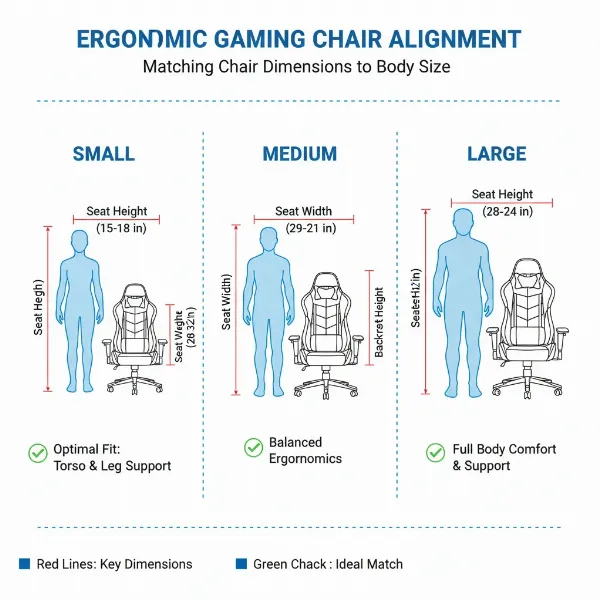 A graphic illustrating different body sizes (small, medium, large) matched with corresponding gaming chair dimensions, emphasizing proper fit for ergonomic support.
Gaming Chair Price Segments and Best Value for Posture
Understanding the different price segments can help you manage expectations and find the best value for a gaming chair focused on posture correction.
In the budget-friendly segment (typically under $200), you’ll find chairs that offer basic comfort and a gaming aesthetic. These often feature simple PU leather, fixed armrests, and basic lumbar/neck pillows that are not integrated or highly adjustable. While they might provide a slight improvement over a standard dining chair, their ergonomic limitations mean they offer minimal long-term posture support and adjustability. They serve as an entry point but are unlikely to fully address or prevent gamer hunch for serious gamers.
The mid-range segment (approximately $200-$500) provides a significantly better balance of features, quality, and ergonomic benefits. Chairs in this category often include more robust steel frames, higher-quality PU leather or breathable fabric options, and crucial adjustability features like 2D or 3D armrests, deeper recline angles, and sometimes integrated, adjustable lumbar support. This segment offers excellent value for gamers seeking noticeable improvements in posture support and comfort without breaking the bank. Many reputable brands have strong contenders here that can effectively combat hunching.
At the high-end segment (over $500), you encounter premium gaming chairs and ergonomic office chairs that double as gaming chairs. These models boast superior build quality, top-tier materials (like real leather, high-density foam, advanced mesh), and extensive, multi-dimensional adjustability (e.g., 4D armrests, sophisticated integrated lumbar systems, adjustable seat depth, synchronized tilt mechanisms). Chairs in this segment are designed for maximum customization and long-term durability, providing the most comprehensive and effective solutions for maintaining perfect posture, even during the longest gaming marathons. They represent an investment in professional-grade ergonomics.
Top Picks: Highly-Rated Gaming Chairs for Ergonomic Support
When it comes to selecting the absolute best gaming chairs for ergonomic support and preventing gamer hunch, certain characteristics consistently stand out. While specific models vary year by year, focusing on these features will guide you to a top-tier choice.
Look for chairs that prioritize dynamic lumbar support, which ideally adapts to your movements or is highly customizable to fit the unique curve of your spine. Integrated, adjustable lumbar systems are often superior to simple detachable pillows. A chair with a tall, supportive backrest is essential, ensuring full spinal support up to your neck and head.
Multi-dimensional armrests (3D or 4D) are critical for maintaining neutral shoulder and wrist positions, a key factor in preventing upper back and neck strain. The ability to adjust height, depth, and angle allows you to align your arms perfectly with your desk, keyboard, and mouse. Furthermore, seat depth adjustment is a premium feature that ensures your thighs are fully supported without pressure behind your knees, contributing to healthy circulation and overall posture.
Top picks will also feature high-quality, breathable materials that stand up to long hours of use without causing discomfort from heat buildup. A sturdy, heavy-duty frame (typically steel or aluminum) and a stable five-star base are non-negotiable for safety and longevity. Finally, a wide range of tilt and recline options with reliable locking mechanisms allows for micro-adjustments that maintain comfort and proper alignment throughout your gaming session. Prioritizing these ergonomic hallmarks ensures you’re investing in a chair that actively promotes a healthy, hunch-free posture.
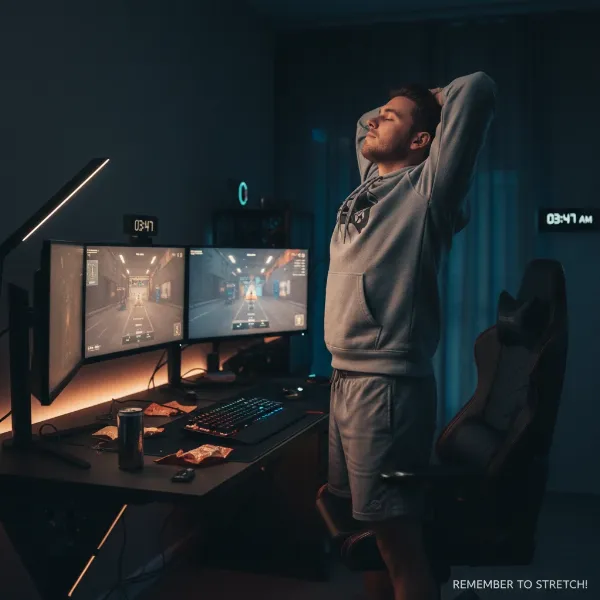 A gamer standing up from their desk and doing a simple back stretch or shoulder roll, emphasizing the importance of breaks.
Conclusion
Preventing gamer hunch is more than just avoiding discomfort; it’s about investing in your long-term health and enhancing your overall gaming experience. The right gaming chair is a cornerstone of an ergonomic setup, offering the adjustable support necessary to maintain a healthy spinal posture. By understanding the critical role of material, frame, size, and especially adjustability in your chair, alongside smart setup habits like proper monitor and peripheral placement, you can actively combat the risks of prolonged sitting. Regularly integrating breaks and simple stretches further solidifies these preventative measures. Remember, a well-supported body leads to a focused mind and superior performance. What adjustments will you make to your gaming setup today to achieve a healthier, hunch-free tomorrow?
Frequently Asked Questions
How often should I take breaks while gaming to prevent hunching?
Doctors recommend taking short breaks every 20 to 30 minutes, or at least hourly, to stand up, move around, and stretch. This helps to alleviate muscle fatigue, improve circulation, and reset your posture, significantly reducing the risk of developing a gamer hunch.
Can a regular office chair be used to prevent gamer hunch?
While some high-quality ergonomic office chairs can offer excellent posture support, traditional office chairs often lack the specific adjustability and extended backrests found in dedicated Gaming Chairs designed for intensive, long-duration sitting. Look for features like adjustable lumbar, headrest, and armrests.
What is the ideal monitor height to prevent neck strain?
Your monitor should be positioned directly in front of you, with the top edge of the screen at or slightly below eye level, and at an arm’s length (20-24 inches) away. This setup helps keep your head in a neutral position, preventing forward head posture and neck strain.
Are posture correctors effective for gamers?
Posture correctors can be helpful tools, providing biofeedback and gentle support to remind you to maintain proper posture and build muscle memory. However, they should not be used as a sole solution; they are best combined with an ergonomic setup, regular breaks, and strengthening exercises.
How does proper armrest adjustment help prevent hunching?
Properly adjusted armrests allow your elbows to rest at a 90-degree angle, supporting the weight of your arms and shoulders. This reduces tension in your upper back and neck, encouraging a more relaxed and upright posture, which is crucial for preventing hunching and shoulder strain.
Why is seat depth adjustment important for posture?
Seat depth adjustment ensures that your thighs are fully supported by the chair’s seat pan, with a small gap (about two fingers) between the edge of the seat and the back of your knees. This prevents pressure on your circulation and allows you to use the backrest effectively, maintaining the natural curve of your spine.
Beyond the chair, what’s one crucial desk setup tip for preventing hunch?
Beyond the chair, ensuring your keyboard and mouse are within comfortable reach and at elbow height is critical. This prevents you from leaning forward, hunching over, or overextending your arms, which can lead to shoulder and upper back strain over time.