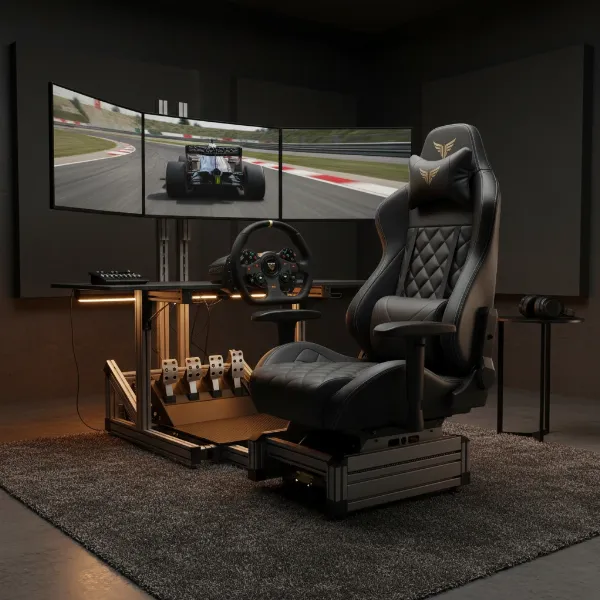
Do endless hours spent battling virtual foes or tackling demanding work projects leave your back screaming for relief? The culprit might not be the intensity of your sessions, but the chair you’re sitting in. Poor posture, often a silent byproduct of conventional seating, can lead to chronic back pain, neck strain, and decreased performance. Investing in a truly ergonomic gaming chair isn’t a luxury; it’s a strategic move for your health, comfort, and ultimately, your gaming and working efficiency.
This comprehensive guide will unravel the complexities of choosing the best gaming chair for posture correction, delving into essential ergonomic features, significant health benefits, crucial buying factors, and top recommendations. Get ready to transform your setup and safeguard your well-being.
Understanding Gaming Chairs and Posture
At its core, a gaming chair is purposefully engineered for the unique demands of extended sitting, a commonality shared by both dedicated gamers and remote professionals. Unlike a generic office chair, a well-designed gaming chair integrates specific features aimed at providing comprehensive support for the human body, particularly during prolonged periods of static or dynamic engagement. Its high back and specialized adjustability differentiate it, catering to the nuanced requirements of gaming postures.
The intricate link between your seating and your body’s alignment cannot be overstated. Incorrect posture, characterized by slouching or leaning, places undue stress on the spine, leading to a cascade of health issues such as persistent lower back pain, stiff necks, tense shoulders, and compromised circulation. Ergonomic gaming chairs are meticulously crafted to counteract these detrimental effects by actively promoting the spine’s natural S-curve. This design philosophy helps maintain proper alignment, distributing weight evenly and reducing pressure points that contribute to discomfort and long-term musculoskeletal problems.
The evolution of gaming chairs has seen a significant shift from rudimentary designs to highly specialized ergonomic solutions. Initially, many gaming chairs mimicked the aggressive aesthetics of racing car seats, prioritizing style over genuine ergonomic principles. However, as awareness of posture-related health issues grew, manufacturers began integrating advanced ergonomic features, drawing inspiration from high-end office chairs while retaining the distinct functionality appealing to gamers. Today, the market offers a diverse range of gaming chairs, from the classic racing-style, often equipped with external pillows, to sophisticated ergonomic office-style hybrids featuring integrated, highly adjustable support systems that truly prioritize user well-being.
The Essential Benefits of Posture-Correcting Gaming Chairs
The advantages of choosing a gaming chair specifically engineered for posture correction extend far beyond simple comfort. These specialized chairs are foundational tools for maintaining long-term health and enhancing your daily activities.
Enhanced Spinal Support and Pain Relief
|
Our Picks for the Best Gaming Chair in 2026
As an Amazon Associate I earn from qualifying purchases.
|
||
| Num | Product | Action |
|---|---|---|
| 1 | Gaming Chair, 400 lbs Adult Chair, High Back Computer Chair with Footrest and Linked Armrests, Office Video Game Chair with Lumbar Support (Grey) |

|
| 2 | BestOffice High-Back Gaming Chair PC Office Chair Computer Racing Chair PU Desk Task Chair Ergonomic Executive Swivel Rolling Chair with Lumbar Support for Back Pain Women, Men,White |
|
| 3 | Sweetcrispy Computer Gaming Desk Chair - Ergonomic PU Leather with Comfy Lumbar Support, Height Adjustable Rolling Desk with Flip-up Armrests, for Home and Office |
|
| 4 | Razer Iskur V2 X Ergonomic Gaming Chair: Built-in Lumbar Support - Widened Seat Base - High Density Foam Cushions - Adjustable 152 Degree Recline - 2D Armrests - Plush Fabric Finish - Black |
|
| 5 | GTPLAYER Gaming Chair,Office Chair with Pocket Spring Lumbar Support, Ergonomic Comfortable Wide Office Desk Computer Chair with Outward Fixed Soft Armrests and Footrest (PU Leather, Black) |
|
| 6 | BestOffice Gaming Chair Office Chair Ergonomic Desk Chair Racing Style Gaming Chair with Lumbar Support, Swivel Rolling Base, and Comfortable Padded Seat for Women and Men |
|
| 7 | Ergonomic Office Chair with Footrest - Adjustable Lumbar Support & Headrest, 90-160° Reclining Mesh Back Computer Chair - Home Office/Gaming, 350lbs Capacity (SGS Certified) |
|
| 8 | Gaming Chair with Linkage Armrest & Footrest, High Back Video Gaming Chair, Black/White |
|
| 9 | Breathable Fabric Gaming Chair with Footrest, Height Adjustable Game Chair, Video Gaming Chair for Gaming Room, Living Room and Office - Blue/Light Grey |
|
| 10 | TRALT Office Chair Ergonomic Desk Chair, 330 LBS Home Mesh Office Desk Chairs with Wheels, Comfortable Gaming Chair, High Back Office Chair for Long Hours (White) |
|
One of the most immediate and significant benefits of a posture-correcting gaming chair is its ability to provide comprehensive spinal support. These chairs are designed to cradle your entire back, from the lumbar region (lower back) to the thoracic (mid-back) and cervical (neck) areas. By supporting the natural curves of your spine, they actively reduce the strain that typically accumulates during extended sitting. This targeted support translates directly into relief from common ailments such as nagging lower back pain, persistent neck stiffness, and uncomfortable shoulder tension, allowing your muscles to relax rather than constantly work to maintain an unhealthy posture.
Improved Comfort for Extended Sessions
When your body is properly supported, comfort naturally follows. A well-designed ergonomic gaming chair minimizes pressure points and evenly distributes your weight, preventing the discomfort and numbness often associated with prolonged sitting. This reduction in physical strain means you can engage in marathon gaming sessions or extensive work periods without the onset of fatigue. The ability to sit comfortably for longer allows you to fully immerse yourself in your tasks or entertainment without distracting aches and pains.
Boosted Performance and Focus
It might seem indirect, but physical comfort is a powerful driver of mental performance. When you’re free from discomfort and pain, your mind can operate with greater clarity and focus. An ergonomic chair helps you maintain an alert, engaged posture, which can improve concentration, reaction times, and overall cognitive function. This translates directly into better gaming performance, more productive work sessions, and a generally more enjoyable experience as you can channel all your energy into the task at hand.
Long-Term Health & Wellness
Investing in a posture-correcting gaming chair is a proactive step towards long-term health. By promoting proper spinal alignment and reducing chronic strain, these chairs help prevent the development of serious musculoskeletal issues such as herniated discs, sciatica, and chronic postural deformities. Furthermore, many ergonomic designs feature elements like a waterfall seat edge, which can improve blood circulation to the legs, reducing the risk of swelling and discomfort associated with poor blood flow. It’s an investment in your physical longevity and overall quality of life.
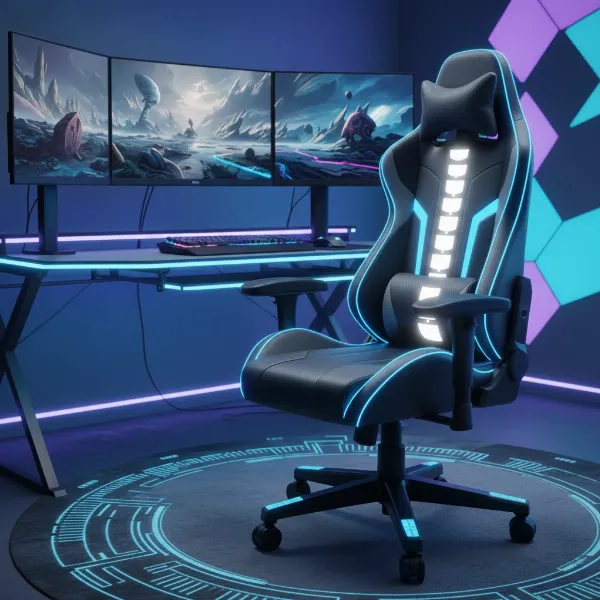 An ergonomic gaming chair promoting proper posture with highlighted areas of spinal support, indicating relief from back and neck pain.
Key Factors When Choosing a Gaming Chair for Posture Correction
Selecting the right gaming chair for posture correction requires careful consideration of several critical ergonomic elements. Each feature plays a vital role in ensuring your spine is properly aligned and supported.
Lumbar Support: The Spine’s Best Friend
The lumbar region, or lower back, naturally curves inward, and maintaining this curve is paramount for healthy posture. Effective lumbar support is the cornerstone of any posture-correcting chair. This can manifest in several forms:
- Built-in Adjustable Lumbar Support: Often integrated directly into the backrest, these systems allow you to adjust the depth and sometimes the height of the lumbar curve using dials or levers. Examples include 4-way adjustable and pop-out lumbar systems found in chairs like the AndaSeat Kaiser series.
- Dynamic Lumbar Support: This advanced feature adapts to your movements, providing continuous support as you shift positions, offering a more natural feel.
- Lumbar Pillows: While more basic, these removable cushions can offer supplementary support, though they may require frequent readjustment.
Prioritize chairs with customizable lumbar support that allows you to tailor the fit precisely to your unique spinal curve, ensuring optimal comfort and prevention of lower back pain.
Backrest and Headrest Design
A high backrest is essential for full spinal support, encompassing your entire back, shoulders, and neck. Look for designs that conform to the natural curvature of your upper back. Many posture-correcting chairs include an adjustable headrest or neck pillow to support your cervical spine, keeping your head in a neutral position and alleviating neck and shoulder tension. Reclining mechanisms are also critical, offering a range of angles typically from 90 to 155 degrees. This allows you to shift positions, relieving pressure on your spine. Advanced options like synchro-tilt mechanisms are particularly beneficial, as they allow the seat and backrest to recline in a coordinated motion, keeping your feet on the floor and maintaining an open hip angle, which is ideal for desk-bound activities.
Seat Cushion and Pan
The seat cushion’s design significantly impacts hip and thigh comfort, which in turn affects spinal alignment. High-density foam, cold-cure foam, or memory foam are preferred materials as they resist bottoming out and maintain support over time. A “waterfall edge” design on the front of the seat pan is beneficial as it reduces pressure on your thighs and promotes healthy blood circulation. Furthermore, ensure the seat has adequate depth, allowing for a small gap between the back of your knees and the chair’s edge when seated. While some gaming chairs feature “bucket” style seats with raised bolsters, flat and wide seat pans are often recommended for broader individuals or those who prefer to cross their legs, as they prevent thigh pinching and offer greater freedom of movement.
Adjustability: Beyond the Basics
Comprehensive adjustability is a hallmark of a truly ergonomic chair.
- Seat Height: Crucial for ensuring your feet rest flat on the floor and your knees are at a 90-degree angle, maintaining proper leg circulation and reducing lower back strain.
- Armrests: Look for chairs with multi-directional (3D, 4D, 5D, or even 6D) armrests. These allow you to adjust height, depth, width, and pivot, providing optimal support for your forearms and wrists. Proper arm support reduces strain on your shoulders and prevents issues like carpal tunnel syndrome, especially during intense gaming or typing sessions.
- Tilt and Tension Control: Beyond recline, the ability to control the tilt tension allows you to find the perfect balance between flexibility and resistance, supporting dynamic sitting.
Materials and Build Quality
The materials and overall construction determine a chair’s durability, comfort, and aesthetic appeal.
- Upholstery: Common options include PU leather (durable, easy to clean, but can retain heat), fabric (breathable, softer, but may require more stain care), and mesh (highly breathable, cooler, but can feel firmer). Your choice should align with your climate and personal preference for feel and maintenance.
- Frame and Base: A sturdy frame, typically made of steel or aluminum, is fundamental for stability and longevity. A robust five-star base with smooth-rolling casters ensures mobility and support without compromising safety.
“The true value of an ergonomic gaming chair lies in its capacity for individual customization. Without precise adjustability across all key components, even the most expensive chair can fail to deliver genuine postural benefits.” – Dr. Alex Chen, Ergonomics Specialist at ErgoTech Solutions.
Size and Weight Capacity
One of the most overlooked yet crucial factors is ensuring the chair fits your body size. A chair that is too large or too small will negate its ergonomic benefits. Always check the manufacturer’s recommended height and weight capacities. Pay attention to seat width and depth, as well as the height of the backrest relative to your torso, to guarantee optimal support and comfort. A proper fit ensures all adjustable features align correctly with your body’s unique dimensions.
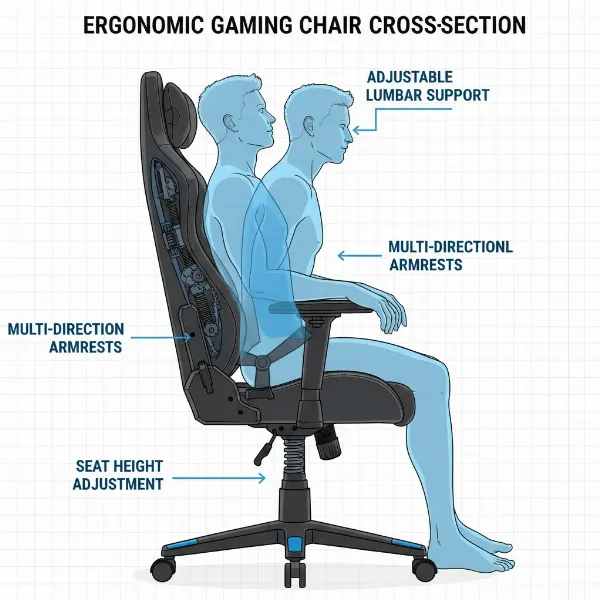 A detailed illustration of an ergonomic gaming chair highlighting various adjustable features like lumbar support, armrests, seat height, and recline mechanism.
Comparing Popular Gaming Chairs for Posture Correction
When seeking the best gaming chair for posture, several models consistently rise to the top, each offering a distinct blend of features and price points. Here’s a comparison of some popular choices:
| Model | Key Lumbar Feature | Other Ergonomic Adjustments | Material Options | Price Range (Approx.) | Pros for Posture | Cons for Posture |
|---|---|---|---|---|---|---|
| Secretlab Titan Evo | Integrated 4-way Lumbar | 4D Armrests, Full Recline (85-165°), Magnetic Head Pillow | NEO Hybrid Leatherette, SoftWeave Plus Fabric | $500 – $700 | Excellent integrated lumbar support, multiple sizes for optimal fit, robust build quality, comfortable memory foam headrest. | Higher price point than many, magnetic lumbar might not suit all preferences. |
| AndaSeat Kaiser 4 Series | Pop-out 4-way Lumbar | 6D Armrests, 135° Recline, Magnetic Headrest, Wide Seat | ArteDiPelle Leatherette, EverSoft Linen Fabric | $450 – $650 | Advanced pop-out lumbar system for personalized support, high-density cushion, wide seat base, magnetic headrest. | Can be bulky for smaller spaces. |
| Herman Miller x Logitech G Embody | "Spinal Column" Backrest | Pixelated Support, Pressure Distribution, Adjustable Armrests | Fabric | $1,800 – $2,200 | Industry-leading ergonomic design, adapts to body shape, excellent pressure distribution, superior long-term spinal health benefits, 12-year warranty. | Very high price, armrests less adjustable than some gaming chairs, aesthetic is more “office” than “gaming”. |
| ThunderX3 Core | Dynamic Lumbar Support | 4D Armrests, Recline, Multi-tilt Mechanism | Fabric, PU Leather | $350 – $500 | Strong focus on lumbar support, good value for money, provides excellent back support in an affordable package. | Less refined aesthetics than premium options, specific lumbar mechanism might not suit everyone. |
| Corsair TC100 Relaxed | Fixed Lumbar (with pillow) | 160° Recline, Height-Adjustable Armrests | Fabric, Leatherette | $200 – $350 | Affordable, relaxed seating experience, decent recline range for breaks, thick cushioning provides basic support. | Lumbar support is less customizable (often a pillow), armrests are not multi-directional (only height adjustable). |
Your Comprehensive Buying Guide to Posture-Enhancing Gaming Chairs
Making the right choice in a posture-correcting gaming chair can significantly impact your health and comfort. Follow this guide to navigate the options effectively.
Assess Your Needs and Budget
Before diving into specifications, reflect on your personal requirements. How many hours do you typically spend seated daily for gaming or work? Do you currently experience any specific pain points, such as lower back pain, neck stiffness, or hip discomfort? Understanding your current needs will help you prioritize features. Simultaneously, establish a realistic budget range. While investing more often yields better ergonomic features and durability, excellent options exist across all price segments. Balancing your needs with your budget ensures a satisfactory purchase.
Research and Compare
Once you have a clear idea of your needs, dedicate time to thorough research. Look beyond flashy aesthetics and marketing hype; prioritize chairs with genuinely adjustable ergonomic features like multi-directional lumbar support, versatile armrests, and dynamic recline mechanisms. Compare specific models, paying close attention to their unique adjustability options and how they cater to different body types. Read reviews from other users, focusing on feedback related to comfort, long-term support, and how the chair impacts posture. Watching video demonstrations can also provide valuable insights into a chair’s functionality and build quality.
Try Before You Buy (If Possible)
The ultimate test for any ergonomic chair is how it feels when you sit in it. If possible, visit showrooms or retailers to physically try out different models. Sit in the chair for at least 10-15 minutes, experimenting with all its adjustable features. Pay attention to how the lumbar support aligns with your spine, whether the headrest comfortably cradles your neck, if your feet rest flat on the floor, and if the armrests can be positioned to support your forearms without shrugging your shoulders. Personal fit is paramount, as what works for one person may not work for another.
Check Warranty and Support
A substantial warranty is a strong indicator of a manufacturer’s confidence in their product’s durability and quality. Look for chairs with warranties that cover significant components like the frame, casters, and pneumatic lift for several years (e.g., 5-10 years or more). Beyond the warranty, research the brand’s customer service and support reputation. Knowing that you have reliable support for potential issues or replacement parts can provide immense peace of mind, especially for a significant investment.
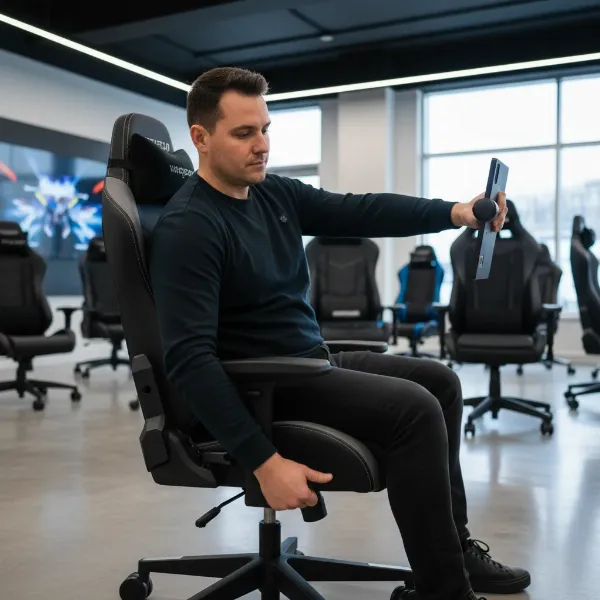 A person trying out a gaming chair in a showroom, adjusting its features to check for optimal posture and comfort.
Gaming Chair Price Segments: Finding Your Perfect Posture Match
Gaming chairs designed for posture correction are available across a wide spectrum of prices, each segment offering varying levels of features, materials, and overall quality. Understanding these segments can help you align your expectations with your budget.
Budget-Friendly (Under $300-$400)
Chairs in this segment typically offer basic ergonomic adjustability. You’ll find features like adjustable seat height, some degree of recline, and often a removable lumbar pillow for support. Materials might include standard PU leather or fabric. While they aim to provide better posture than a conventional desk chair, the adjustability might be less precise, and the build quality, though decent, may not offer the same longevity as higher-priced options. These chairs are suitable for casual gamers or those on a strict budget who need an upgrade from basic seating.
Mid-Range ($400-$800)
This is where you’ll start to see a significant leap in ergonomic features and material quality. Mid-range chairs often boast more robust internal mechanisms, integrated and multi-directional adjustable lumbar support, 3D or 4D armrests, and higher-density foams for superior comfort and durability. Material options often include higher-grade PU leather, breathable fabrics, or even hybrid materials. These chairs provide a much more refined and customizable sitting experience, making them a solid choice for serious gamers and professionals who spend many hours at their desks and prioritize comfort and posture correction.
Premium/High-End (Above $800)
The premium segment represents the pinnacle of ergonomic design, often blending cutting-edge technology with luxurious materials. Chairs here feature dynamic lumbar support systems that adapt to your movements, highly sophisticated multi-directional armrests (up to 6D), advanced synchro-tilt mechanisms, and often exceptionally durable and breathable materials like high-quality fabric, genuine leather, or specialized mesh. Brands like Herman Miller and Secretlab populate this category, known for their meticulous engineering and extended warranties. While the investment is substantial, these chairs offer unparalleled adjustability, long-term health benefits, and exceptional durability, making them ideal for those who demand the absolute best in posture support and comfort.
Top Picks: Leading Gaming Chairs for Optimal Posture
Navigating the vast market of gaming chairs can be daunting, but certain models consistently stand out for their commitment to ergonomic design and posture correction. Here are some of the most highly regarded options:
Secretlab Titan Evo
Often considered a benchmark in the gaming chair industry, the Secretlab Titan Evo is lauded for its comprehensive ergonomic design. It features an integrated 4-way adjustable lumbar support system, allowing users to precisely control both the depth and height of the lumbar curve to match their spinal needs. Combined with magnetic memory foam head pillows and multiple size options (Small, Regular, XL), it ensures a tailored fit for a wide range of body types. Its robust build quality and premium upholstery options (NEO Hybrid Leatherette and SoftWeave Plus Fabric) make it a durable and comfortable choice for extended sessions, promoting excellent spinal alignment.
AndaSeat Kaiser 4 Series
The AndaSeat Kaiser 4 series (and its predecessor, the Kaiser 3) is a strong contender, particularly praised for its innovative lumbar support. The Kaiser 4 boasts a pop-out 4-way adjustable lumbar system that offers significant customization for lower back support. It also features high-density cold-cure foam, which provides firm yet comfortable support for the thighs and hips, and multi-directional (up to 6D) armrests that allow for extensive customization. Available in various durable materials and sizes, the Kaiser series is designed to ease lower back and hip pain, making it an excellent choice for posture support.
Herman Miller x Logitech G Embody
While technically an ergonomic office chair with gaming enhancements, the Herman Miller x Logitech G Embody is frequently cited as the gold standard for posture and spinal health. Its unique “Spinal Column” backrest system actively conforms to the user’s spine, providing dynamic support and unparalleled pressure distribution. The chair’s pixelated support system encourages micro-movements, promoting healthy blood flow and reducing static load on the spine. Though it comes with a premium price tag, its 12-year warranty and superior ergonomic engineering make it an unmatched investment for long-term spinal health and comfort.
ThunderX3 Core
For those seeking excellent lumbar support without breaking the bank, the ThunderX3 Core emerges as a strong recommendation. This chair gained recognition for delivering robust, dynamic lumbar support within a more affordable package. It integrates a multi-tilt mechanism and 4D armrests, offering a good range of adjustability to help maintain correct posture. Available in various finishes, the ThunderX3 Core demonstrates that effective posture correction can be accessible, making it a popular choice for gamers prioritizing back health on a mid-range budget.
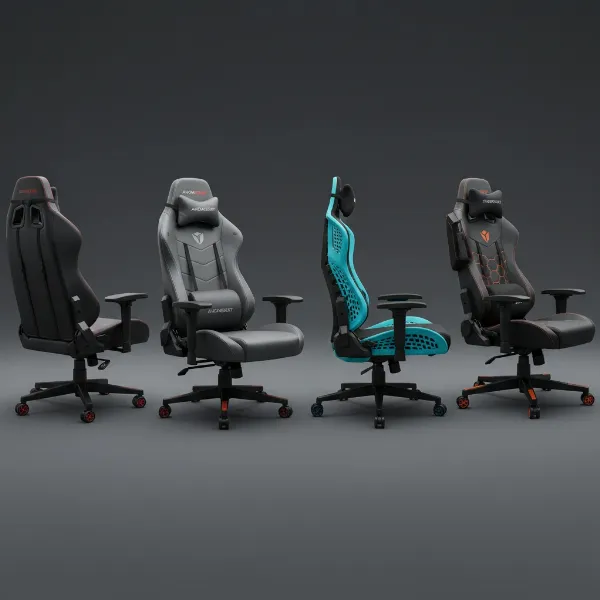 A montage of the top-rated ergonomic gaming chairs mentioned, showcasing their distinct designs and features for posture correction.
Conclusion
The pursuit of the perfect gaming chair for posture correction is a journey toward enhanced comfort, sustained performance, and enduring health. As you’ve explored, investing in a chair specifically designed with ergonomic principles is a crucial step in mitigating the risks of prolonged sitting, transforming a potential source of pain into a pillar of support. The key lies in understanding and prioritizing features like adjustable lumbar support, comprehensive backrest and headrest designs, thoughtful seat pan construction, and extensive overall adjustability.
Remember, a chair that perfectly fits your unique body dimensions and allows for personalized adjustments is indispensable. From the sophisticated engineering of premium models to the robust support offered by mid-range and even some budget-friendly options, there’s a posture-enhancing gaming chair waiting to elevate your experience. Prioritize your well-being, make an informed decision, and embark on countless hours of comfortable, focused gaming and productivity.
Which posture-correcting gaming chair will elevate your setup and well-being?
Frequently Asked Questions
Are gaming chairs actually good for posture?
Yes, genuinely ergonomic gaming chairs are designed to be very good for posture. They typically feature adjustable lumbar support, high backrests, and customizable components that help maintain the spine’s natural curve, reduce pressure points, and encourage a healthy seated position, significantly improving posture over time.
What’s the difference between a gaming chair and an ergonomic office chair for posture?
While both aim for ergonomics, gaming chairs often feature a racing-style aesthetic, higher backrests for full spinal support, and specific adjustability like deep recline for gaming postures. Ergonomic office chairs might have a more subtle design, emphasizing features like mesh breathability and often superior seat depth adjustment. However, many high-end “gaming” chairs are essentially ergonomic office chairs with a gaming flair, blending the best of both worlds.
How do I know what size gaming chair I need?
To determine the correct size, consult the manufacturer’s height and weight recommendations. Ensure your feet can rest flat on the floor with knees at a 90-degree angle, the backrest supports your entire spine, and the seat depth leaves a small gap between the back of your knees and the seat edge. A proper fit is crucial for effective posture correction.
Can a gaming chair fix existing back pain?
While an ergonomic Gaming Chair can significantly alleviate and prevent back pain by promoting proper posture and support, it’s not a magic cure for existing severe conditions. It can greatly reduce strain and discomfort, but for chronic pain, consulting a healthcare professional is always recommended in conjunction with using a supportive chair.
How often should I take breaks when sitting in a gaming chair?
Even with the best ergonomic chair, regular breaks are vital for spinal health. Aim to stand up, stretch, and move around for 60-90 seconds every 30-45 minutes. These micro-breaks help maintain blood circulation, relax muscles, and reduce the cumulative strain from prolonged sitting, enhancing both your physical well-being and focus.