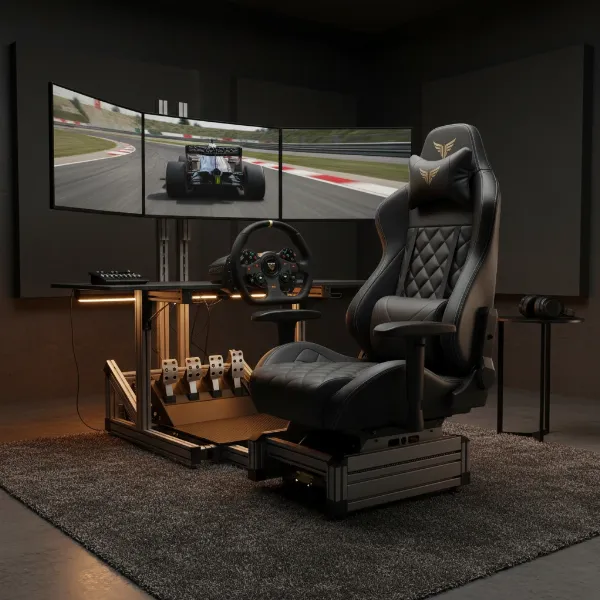
For many gamers and remote workers, the rigid posture often advocated for by traditional ergonomics feels unnatural. The urge to tuck a leg, cross at the ankle, or even sit “criss-cross applesauce” in your chair is a common, almost instinctive response to prolonged sitting. If you find yourself constantly shifting, trying to force your body into an unyielding seat, you know the struggle of a gaming chair not built for your unique comfort. This article dives deep into the world of wide seat gaming chairs, exploring why they are a game-changer for cross-legged sitters, what features truly matter, and which models stand out from the crowd, ensuring you can game or work in ultimate comfort and support.
The Allure of Cross-Legged Sitting in Gaming
The way we sit during extended gaming sessions or work hours is deeply personal. While conventional wisdom often dictates feet flat on the floor and a 90-degree knee bend, a significant portion of individuals naturally gravitate towards more flexible postures, with cross-legged sitting being a prevalent choice. This inclination often stems from a physiological need to redistribute pressure, engage different muscle groups, or simply find a position that feels more stable and comfortable for focus or relaxation.
Historically, gaming chairs evolved from racing car seats, characterized by their high backs, prominent side bolsters, and bucket-style seats designed to hold the occupant firmly in place. While effective for a single, aggressive posture, this design often clashes with the desire for dynamic movement and varied seating positions. As the understanding of ergonomics has broadened, recognizing that constant movement is key to comfort and spinal health, the demand for gaming chairs that accommodate diverse sitting styles, like cross-legged sitting, has surged.
Why Traditional Gaming Chairs Fall Short
The very design elements that define many traditional racing-style gaming chairs can become significant impediments for those who prefer to sit cross-legged.
First and foremost, the aggressive side bolsters found on the seat base of many racing-style chairs create a “bucket” effect that severely restricts thigh movement. This physical confinement prevents users from comfortably bringing their knees up or crossing their legs, leading to localized pressure points and reduced blood circulation. Imagine trying to sit comfortably cross-legged in a car racing seat – it’s simply not designed for it.
Secondly, the narrow seat pans of standard ergonomic furniture are often insufficient. While an average seat might suffice for feet-flat sitting, it rarely offers the ample width required to support the entire lower body when legs are folded or tucked beneath. This forces users into awkward, unsupported positions, negating any potential comfort benefits.
Finally, limited armrest adjustability can also be a major drawback. Fixed or minimally adjustable armrests can block your feet and legs, making it impossible to assume your preferred cross-legged posture without bumping into them. For a truly flexible seating experience, armrests must be able to move out of the way, either by pivoting, retracting, or offering a wide range of height and depth adjustments.
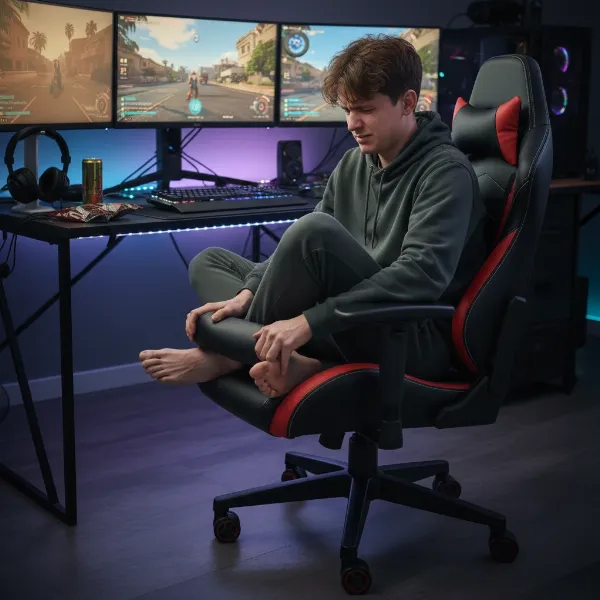 Gamer struggles to sit cross-legged in a narrow gaming chair with restrictive side bolsters.
Essential Features for a Cross-Legged Friendly Gaming Chair
Choosing the right gaming chair for cross-legged sitting means prioritizing features that champion space, flexibility, and adaptive support.
Generous & Flat Seat Design
|
Our Picks for the Best Gaming Chair in 2026
As an Amazon Associate I earn from qualifying purchases.
|
||
| Num | Product | Action |
|---|---|---|
| 1 | Ergonomic Office Chair with Footrest - Adjustable Lumbar Support & Headrest, 90-160° Reclining Mesh Back Computer Chair - Home Office/Gaming, 350lbs Capacity (SGS Certified) |

|
| 2 | BestOffice Gaming Chair Office Chair Ergonomic Desk Chair Racing Style Gaming Chair with Lumbar Support, Swivel Rolling Base, and Comfortable Padded Seat for Women and Men |
|
| 3 | Razer Iskur V2 X Ergonomic Gaming Chair: Built-in Lumbar Support - Widened Seat Base - High Density Foam Cushions - Adjustable 152 Degree Recline - 2D Armrests - Plush Fabric Finish - Black |
|
| 4 | Sweetcrispy Computer Gaming Desk Chair - Ergonomic PU Leather with Comfy Lumbar Support, Height Adjustable Rolling Desk with Flip-up Armrests, for Home and Office |
|
| 5 | TRALT Office Chair Ergonomic Desk Chair, 330 LBS Home Mesh Office Desk Chairs with Wheels, Comfortable Gaming Chair, High Back Office Chair for Long Hours (White) |
|
| 6 | Gaming Chair with Linkage Armrest & Footrest, High Back Video Gaming Chair, Black/White |
|
| 7 | GTPLAYER Gaming Chair,Office Chair with Pocket Spring Lumbar Support, Ergonomic Comfortable Wide Office Desk Computer Chair with Outward Fixed Soft Armrests and Footrest (PU Leather, Black) |
|
| 8 | Breathable Fabric Gaming Chair with Footrest, Height Adjustable Game Chair, Video Gaming Chair for Gaming Room, Living Room and Office - Blue/Light Grey |
|
| 9 | Gaming Chair, 400 lbs Adult Chair, High Back Computer Chair with Footrest and Linked Armrests, Office Video Game Chair with Lumbar Support (Grey) |
|
| 10 | BestOffice High-Back Gaming Chair PC Office Chair Computer Racing Chair PU Desk Task Chair Ergonomic Executive Swivel Rolling Chair with Lumbar Support for Back Pain Women, Men,White |
|
The cornerstone of a cross-legged friendly gaming chair is its seat design. Look for a seat that is notably wider than average, ideally with a width of 20 inches (approximately 50 cm) or more. Crucially, the seat should feature a flat base with minimal or low-profile side bolsters. Aggressive “wings” or bucket-style contours, while common in racing chairs, will only restrict your movement and create discomfort when attempting to cross your legs. A flatter design provides the necessary real estate for your legs to shift freely and comfortably.
Superior Adjustability
A truly ergonomic chair for dynamic sitting styles offers extensive adjustability:
- 4D Armrests: These are highly recommended as they allow movement in four directions: up/down, forward/backward, in/out, and pivot. This versatility ensures you can position the armrests precisely where you need them or move them completely out of the way to accommodate your legs.
- Dynamic Lumbar Support: Since cross-legged sitting can affect spinal alignment, a lumbar support system that can adapt and maintain contact with your lower back as you shift positions is invaluable. Some chairs offer adjustable lumbar pillows, while others feature integrated, dynamic systems.
- Seat Height and Tilt: The ability to easily adjust seat height is critical. You might find that lowering your seat by 2-3 cm from a conventional position helps keep your hips open and more comfortable when cross-legged. A backrest tilt between 100-110° is often considered ideal for balanced spinal load in various postures.
Premium Materials & Build Quality
The materials and overall construction play a significant role in both comfort and durability:
- Breathable Materials: Cross-legged sitting can increase skin-to-skin and skin-to-fabric contact, making breathable fabrics like mesh or specialized threading (e.g., NanoAir™) essential to prevent heat build-up and sweating. While leatherette is popular, ensure it’s high-quality and not prone to trapping heat.
- Durable, Comfortable Foam: The seat padding should be supportive yet plush enough to prevent discomfort and “bottoming out” over long sessions. High-density cold foam is often preferred for its longevity and comfort.
- Robust Frame & Base: A sturdy steel or aluminum frame and a stable five-star base are paramount to ensure the chair can safely support varied and dynamic sitting positions, especially for users who might lean or shift their weight more frequently.
Weight Capacity
Always check the chair’s maximum weight capacity. Chairs designed for larger individuals often come with wider seats and more robust construction, which can inherently make them more suitable for cross-legged sitting, even if you are not a larger person yourself.
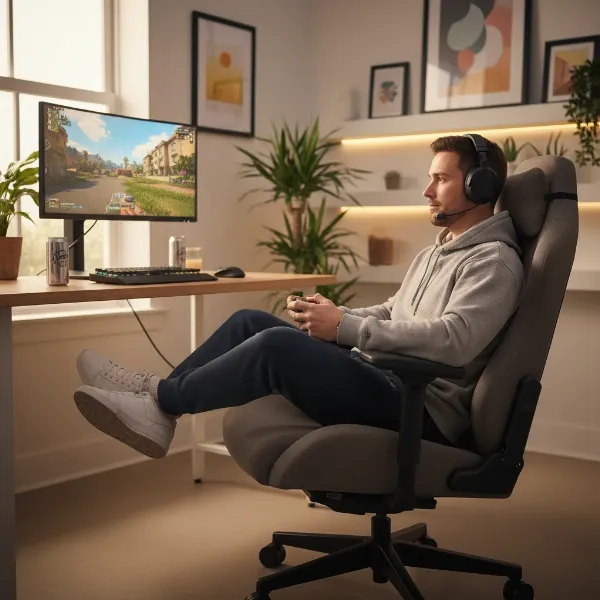 A gamer comfortably sits cross-legged in a wide, flat-seated gaming chair with adjustable armrests.
Top Wide Seat Gaming Chairs for Cross-Legged Sitting
Finding a gaming chair that perfectly blends ergonomic support with the freedom to sit cross-legged requires careful selection. Here are some of the most recommended models known for their accommodating design:
- Secretlab Titan Evo (XL): Often lauded as one of the best overall gaming chairs, the Titan Evo comes in various sizes, with the XL offering generous dimensions. While it has a slight curve to its seat base, it’s still known for extreme comfort over long periods and 4D adjustable armrests, making it a strong contender for dynamic sitters.
- Corsair TC100 Relaxed: This budget-friendly option is explicitly praised for having “space to sit cross-legged” thanks to its broad design and gentler bolster angles. Its subtle aesthetic also allows it to blend seamlessly into various environments.
- AndaSeat Kaiser 4 XL: Designed for larger frames, this chair boasts roomy dimensions and a wide seat cushion, providing ample space for spreading out or sitting cross-legged. It also features highly adjustable 5D armrests and excellent lumbar support.
- Noblechairs Icon: For those seeking a premium feel with an understated look, the Noblechairs Icon offers a sophisticated design with ample cold foam support in its upholstered seat, making it suitable for comfortable cross-legged sitting.
- Hoffree Crisscross Chair: As its name suggests, this chair is purpose-built for criss-cross sitting. It features a big, comfy seat, adjustable armrests, and even a built-in footrest, highlighting its design for varied postures.
- Corsair TC500 Luxe: This model is recognized specifically for its “width,” making it a unique option in the market for users seeking extra space. It offers comfort and a reasonable price point.
- IKEA Markus: A surprisingly good budget choice, the IKEA Markus is noted for its large seat and good padding, offering more space than many entry-level gaming chairs for cross-legged comfort.
Comparison Table: Leading Wide Seat Gaming Chairs
| Model | Seat Type | Key Features for Cross-Legged Sitting | Materials | Price Range (Approx.) |
|---|---|---|---|---|
| Secretlab Titan Evo (XL) | Levelled seat base | Generous width (XL), 4D armrests, magnetic lumbar, durable. | Leatherette/Fabric | $500 – $700 |
| Corsair TC100 Relaxed | Relaxed | Broad design, gentle bolsters, space for cross-legged sitting. | Leatherette/Fabric | $250 – $350 |
| AndaSeat Kaiser 4 XL | Gaming chair | Roomy dimensions, wide seat cushion, 5D armrests, pop-out lumbar. | PVC Leather | $500 – $650 |
| Noblechairs Icon | Office/Gaming chair | Ample cold foam, understated design, spacious seat. | PU Leather/Fabric | $450 – $600 |
| Hoffree Crisscross Chair | Criss-cross specific | Big comfy seat, rotatable armrests, built-in footrest, designed for flexibility. | Fabric | $200 – $350 |
| Corsair TC500 Luxe | Gaming chair | Unique width, comfy, quality materials. | Fabric | $300 – $450 |
Ergonomics & Healthy Practices for Cross-Legged Sitting
While a wide seat gaming chair provides the physical space to sit cross-legged comfortably, it’s crucial to understand the ergonomic implications and adopt healthy practices. Sitting cross-legged for prolonged, static periods can introduce potential risks. These include pelvic obliquity and spinal misalignment, which may lead to increased intradiscal pressure in the lower back. Furthermore, blood flow constriction, peroneal nerve compression (causing tingling or numbness), increased blood pressure, and hip pain are potential downsides of maintaining this posture for too long.
“Movement and postural variation are critical for maintaining long-term comfort and health,” advises Jonathan Puleio, Global VP of Humanscale Consulting. “Consider chairs that have self-adjusting features suchs as weight sensitive recline mechanisms and form-sensing mesh.”
The key takeaway is that movement is medicine. Instead of aiming for one “perfect” posture, the healthiest approach is to continuously vary your sitting positions throughout the day. If you enjoy sitting cross-legged, integrate it into a cycle of movement, rather than making it your sole posture.
Tips for Healthy Cross-Legged Sitting:
- Vary Your Position: Alternate between sitting upright, leaning slightly back, and crossing your legs. Change your sitting position at least every hour.
- Maintain Spinal Alignment: Even when cross-legged, strive to keep your spine upright and avoid slouching. Engage your abdominal muscles slightly to support your back.
- Take Micro-Breaks: Stand up, stretch, or walk around for a few minutes every 30-60 minutes. Simple stretches like neck rolls and arm windmills can alleviate discomfort.
- Listen to Your Body: Don’t force yourself into a painful position. If you feel any tingling, numbness, or discomfort, shift your posture immediately.
Your Buying Guide: Finding the Perfect Wide Seat Gaming Chair
Navigating the vast market of gaming chairs can be daunting, but with a clear understanding of your needs, you can make an informed decision.
- Determine Your Needs and Budget: First, consider how often you sit cross-legged and for how long. Are you a casual gamer or a professional who spends hours at the desk? Establish a realistic budget, as prices can vary significantly between entry-level and premium models.
- Prioritize Seat Design: This is paramount. Look for chairs with a wide, flat seat base and minimal side bolsters. Check the actual seat dimensions (width and depth) if available.
- Evaluate Adjustability: Ensure the chair offers comprehensive adjustability, especially for armrests (4D is ideal) and lumbar support. Good recline and seat height adjustments are also crucial.
- Consider Materials: For prolonged sitting, especially cross-legged, breathable fabrics are often more comfortable than leatherette, though high-quality leatherette can also work.
- Read Reviews and Testimonials: Look for reviews specifically mentioning comfort for cross-legged sitting. User experiences can provide invaluable insights that specifications alone might not reveal.
- Check Warranty and Return Policies: A good warranty reflects the manufacturer’s confidence in their product. Understand the return policy in case the chair doesn’t meet your expectations for this specific sitting style.
- Match with Your Body Type: While wide seats accommodate more, ensure the chair’s overall dimensions (backrest height, weight capacity) are appropriate for your build.
Gaming Chair Price Tiers: What to Expect
The price of a gaming chair often correlates with its build quality, material durability, and range of ergonomic features.
- Budget-Friendly (Under $350): This segment includes options like the Corsair TC100 Relaxed and the IKEA Markus. You’ll find decent comfort and broad seats, but may compromise on armrest adjustability (e.g., 2D instead of 4D) and the highest-grade materials. These are great entry points for casual users.
- Mid-Range ($350 – $600): Chairs in this category, such as the AndaSeat Kaiser 4 XL or Noblechairs Icon, offer a significant upgrade in material quality, durability, and ergonomic features. You can expect more robust frames, better foam density, and more sophisticated adjustability, often including 4D armrests and integrated lumbar support.
- Premium/High-End (Above $600): The Secretlab Titan Evo (XL) sits comfortably in this tier, alongside high-end office chairs that crossover into gaming. These chairs boast superior craftsmanship, top-tier materials, extensive and precise adjustability, and often longer warranties. While expensive, they represent a long-term investment in comfort and ergonomic health.
Top Picks – Popular Wide Seat Gaming Chairs
For gamers who favor cross-legged sitting, certain chairs consistently rise to the top for their combination of spacious design and ergonomic features:
- Secretlab Titan Evo (XL): With its robust build, superior comfort, and comprehensive adjustability, the Titan Evo XL size is a go-to for many. Its relatively flat seat base, compared to earlier Secretlab models, provides more freedom for leg movement, complemented by magnetic lumbar and head pillows for adaptive support.
- Corsair TC100 Relaxed: Standing out in the budget category, the TC100 Relaxed lives up to its name with a broad seat and gentle bolsters, making it ideal for those who want to sit cross-legged without breaking the bank. Its subtle design is a bonus.
- AndaSeat Kaiser 4 XL: This chair is a haven for anyone needing extra space. Its genuinely wide seat and robust construction can comfortably accommodate larger users and those who enjoy varied postures, offering excellent support through its adjustable lumbar system and 5D armrests.
- Noblechairs Icon: A blend of executive style and gaming functionality, the Icon provides a wide, firm-yet-comfortable seat with quality cold foam, making it an excellent choice for a sophisticated setup where cross-legged comfort is desired.
- Hoffree Crisscross Chair: Explicitly designed for flexible sitting, this chair removes traditional barriers with its open, wide seat and features like rotatable armrests and a built-in footrest, catering directly to the cross-legged user.
Conclusion
The quest for the perfect Gaming Chair for cross-legged sitting is a journey towards personalized comfort and enhanced well-being during long hours at your desk. We’ve seen that the ideal chair goes beyond aesthetics, focusing on a wide, flat seat base, multi-directional armrest adjustability, and adaptive lumbar support to truly accommodate dynamic sitting. While traditional racing seats often fall short, innovative designs from brands like Secretlab, Corsair, AndaSeat, and Noblechairs offer compelling solutions.
Remember, the goal isn’t just to find a chair that allows you to sit cross-legged, but one that encourages healthy movement and supports your spine through various postures. Investing in the right chair is an investment in your long-term comfort and health. By prioritizing these key features and understanding the ergonomic best practices, you can transform your gaming or work setup into a truly supportive and comfortable environment.
What’s your favorite cross-legged sitting position, and how has your chair helped (or hindered) it?
Frequently Asked Questions
Is sitting cross-legged in a gaming chair bad for you?
While comfortable, prolonged static cross-legged sitting can lead to issues like restricted blood flow, nerve compression, and spinal misalignment. However, integrating it as part of a dynamic sitting pattern, with regular posture changes and breaks, can be healthy. The chair’s design plays a crucial role in mitigating negative effects.
What seat width is considered “wide” for cross-legged sitting?
Generally, a seat width of 20 inches (approximately 50 cm) or more is considered generous enough to comfortably accommodate cross-legged sitting, allowing ample space for your legs without encountering restrictive side bolsters.
Do I need 4D armrests for cross-legged sitting?
While not strictly mandatory, 4D armrests are highly recommended. Their ability to adjust in multiple directions (height, depth, width, pivot) allows you to move them out of the way, preventing obstruction when you cross your legs or shift positions.
Can a regular office chair work for cross-legged sitting?
Some larger, less contoured office chairs can work, but many are designed for a standard feet-flat posture. Look for office chairs with wide, flat seats, good padding, and adjustable or retractable armrests to provide adequate space and support for cross-legged sitting.
How often should I change my sitting position, even in a comfortable wide seat chair?
Ergonomics experts recommend changing your sitting position at least every hour, and ideally taking short standing or stretching breaks every 30-60 minutes. Constant movement and variation are key to long-term comfort and spinal health, rather than maintaining any single posture for extended periods.
Are “gaming” features like reclining important for cross-legged sitters?
Reclining can be beneficial for comfort and redistributing pressure. A recline range that supports a 100-110° backrest tilt is good for balanced spinal load when sitting dynamically. The important factor is that the chair allows for varied posture changes easily.