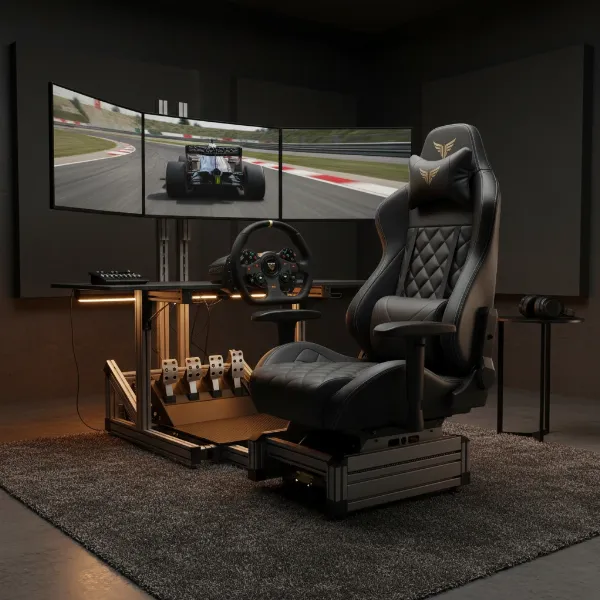
Spending countless hours immersed in virtual worlds or deep into work projects can take a significant toll on your body, with back pain being one of the most common complaints. The allure of a sleek, race-car-inspired gaming chair promises to transform your sitting experience, but many wonder: do these specialized chairs genuinely offer relief from back pain, or are they merely a marketing spectacle? Understanding the true impact of a gaming chair on your spinal health requires a closer look at their design, ergonomic principles, and how they stack up against other seating solutions. This article will dive into the core mechanisms of back pain, explore how gaming chairs are designed to combat it, and provide comprehensive guidance on choosing a chair that truly supports your well-being.
Understanding Back Pain from Prolonged Sitting
Before delving into solutions, it’s essential to understand what causes back pain when you’re seated for extended periods. The human spine has natural curves, and maintaining these curves is crucial for distributing pressure evenly and supporting the body. However, many common sitting habits and poorly designed chairs undermine this natural alignment.
Poor posture is a primary culprit. Slouching, leaning forward, or hunching over a desk puts undue stress on the spine and surrounding muscles, particularly in the lower back and shoulders. Over time, this can lead to muscle fatigue, stiffness, and chronic pain. Standard office chairs often lack the necessary support for long sessions, failing to provide adequate lumbar support to maintain the natural inward curve of the lower back. This absence of support forces your muscles to work harder, leading to strain and discomfort.
How Gaming Chairs Aim to Help with Back Pain
A well-designed gaming chair is engineered with ergonomic principles to address many of the factors contributing to back pain. Their primary goal is to support your posture and enhance overall comfort during long sitting sessions.
The ergonomic design often includes a high backrest that supports the entire spine, from the lumbar region up to the neck. Many models come with adjustable lumbar support cushions and headrests, allowing users to customize the fit to their body’s natural curvature. This targeted support helps maintain the spine’s natural alignment, reducing the risk of pain and discomfort. Adjustable armrests also play a role, supporting your arms and shoulders to alleviate tension in the upper back and neck. Furthermore, features like reclining functions and rocking capabilities allow for varied sitting positions, which can prevent prolonged static posture and encourage small movements, beneficial for circulation and muscle relaxation.
 A person with bad posture slouching in a non-ergonomic chair, showing signs of back pain.
Distinguishing Between Gaming Chairs and Ergonomic Office Chairs
While gaming chairs have grown in popularity for their promise of comfort and support, it’s important to differentiate them from traditional ergonomic office chairs. The “gaming chair” aesthetic, often inspired by racing seats, prioritizes a sporty look, which doesn’t always translate directly to superior ergonomics for everyone.
Some critics argue that many “gaming” chairs are more of a marketing gimmick, with aggressive styling overshadowing true ergonomic engineering. They point out that dedicated office chair manufacturers have spent decades refining designs for 8-hour workdays, focusing solely on health and posture. These high-end office chairs often feature more sophisticated and integrated adjustability, better materials for breathability and pressure distribution, and a design philosophy centered purely on well-being rather than aesthetics. While a good ergonomic gaming chair can certainly provide excellent support, it’s crucial to evaluate its features based on ergonomic principles rather than just its “gaming” label.
Key Factors When Choosing a Gaming Chair for Back Pain
Selecting the right gaming chair requires careful consideration of several crucial factors to ensure it genuinely supports your back and prevents pain.
First and foremost, adjustability is paramount. Look for a chair with:
- Height adjustment: To ensure your feet are flat on the floor or a footrest, with knees at a 90-degree angle.
- Recline function: Allows you to shift your body weight, reducing static pressure on your spine.
- Adjustable armrests: Preferably 4D (height, depth, swivel, width) to support your arms and shoulders effectively.
- Lumbar support: Ideally adjustable (built-in or cushion) to fit the natural curve of your lower back.
- Headrest/Neck pillow: To support the natural curve of your neck and reduce strain.
Beyond adjustability, material quality impacts comfort and durability. Common options include PU leather (durable, easy to clean), real leather (premium, breathable), and fabric (breathable, softer). The frame and base should be sturdy, typically steel or aluminum, for stability and long-term use. Ensure the size and weight capacity are appropriate for your body dimensions, as a chair too large or too small can negate any ergonomic benefits. Finally, always check the manufacturer’s warranty and, if possible, test the chair before purchasing to ensure it provides sufficient comfort and support for your body.
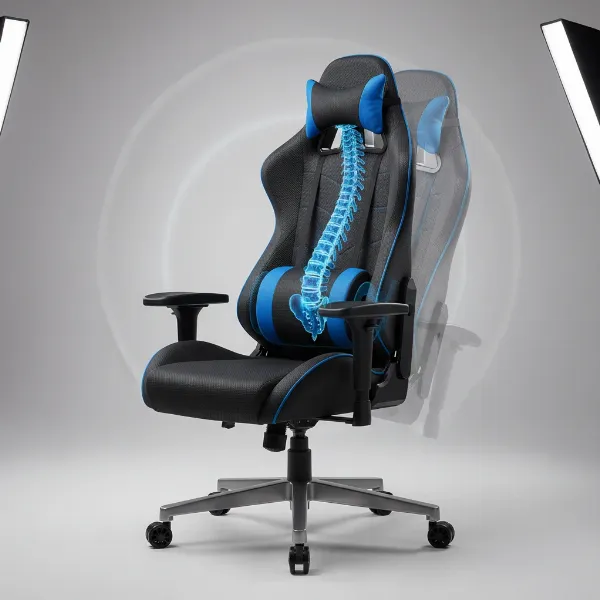 An ergonomic gaming chair with adjustable lumbar support and headrest highlighted, showcasing its customizable features.
Potential Downsides and Important Considerations
While gaming chairs can offer benefits, it’s vital to approach them with realistic expectations. No chair, however ergonomic, is a “miracle cure” for back pain.
One significant consideration is that a gaming chair, especially if poorly adjusted or designed, can sometimes worsen back pain. Some users report discomfort or even increased pain, particularly if the lumbar and neck pillows are ill-fitting or too aggressive. Moreover, relying solely on a chair to solve back problems overlooks the importance of healthy habits. Even with the best chair, prolonged static sitting is detrimental. Regular stretching breaks, engaging in physical exercise, and maintaining a generally active lifestyle are indispensable for spinal health. A chair is a tool to support good posture, but it cannot compensate for a sedentary lifestyle or weak core muscles.
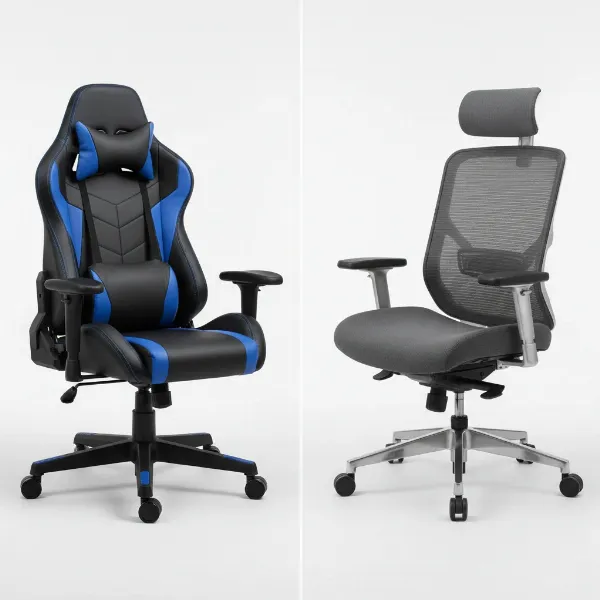 Side-by-side comparison of a sleek gaming chair and a professional ergonomic office chair, highlighting design differences.
Top Picks – Smart Choices for Back Support
When seeking a gaming chair that truly helps with back pain, focus on models renowned for their robust adjustability and quality construction rather than just brand hype or aggressive aesthetics. Look for chairs that offer:
- Integrated, adjustable lumbar support: Some high-end chairs feature internal lumbar mechanisms that can be fine-tuned more precisely than external cushions.
- High-density foam padding: For durable support that doesn’t sag quickly.
- Multi-tilt mechanisms: Allowing for a greater range of recline and rocking, and the ability to lock the chair at various angles.
- Certifications: While less common for gaming chairs than office chairs, some models might hint at adherence to ergonomic standards.
- User reviews: Pay close attention to feedback specifically related to long-term comfort and back support from users with similar body types and sitting habits.
Prioritize chairs that empower you to achieve a truly customized fit for your body, ensuring that your spine maintains its natural curve and pressure points are alleviated during those extended gaming or work sessions.
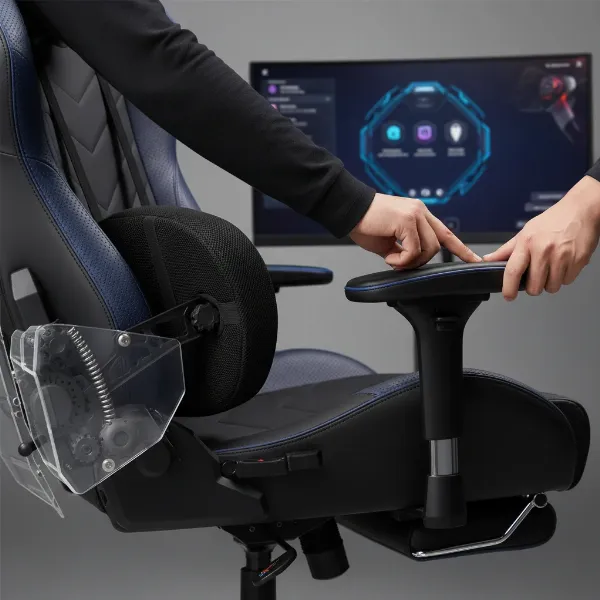 A person adjusting the lumbar support and armrests of an ergonomic gaming chair, showing hands on controls.
Conclusion
So, Do Gaming Chairs Actually Help With Back Pain? The answer is nuanced: yes, if they are high-quality, ergonomically designed, and properly utilized. These chairs can significantly contribute to better posture and reduce discomfort for individuals who spend long hours seated. Their adjustable features, like lumbar support and headrests, are key to maintaining spinal alignment. However, a gaming chair is not a magic bullet. Its effectiveness is maximized when combined with conscious good sitting habits, regular movement, and stretching. Choosing the right chair means prioritizing adjustability, build quality, and a comfortable fit for your unique body over flashy aesthetics.
Are you ready to invest in your back health and find a gaming chair that truly supports your spine?
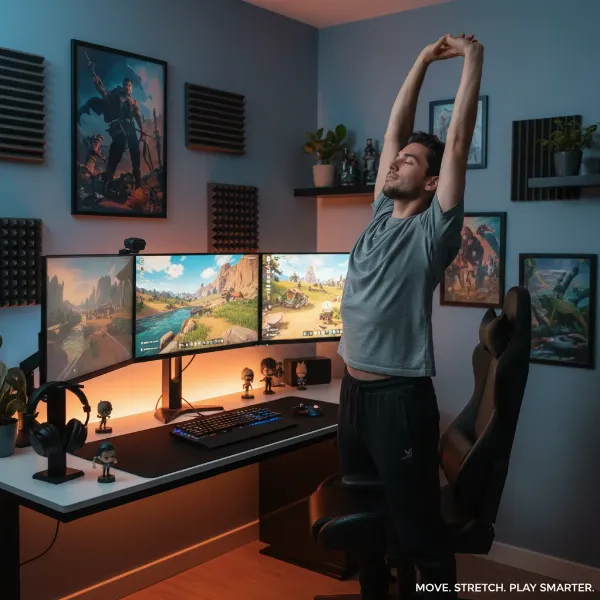 A person doing a simple stretch next to their desk and gaming chair, emphasizing breaks and movement.
Frequently Asked Questions
Are gaming chairs better than office chairs for back pain?
|
Our Picks for the Best Gaming Chair in 2026
As an Amazon Associate I earn from qualifying purchases.
|
||
| Num | Product | Action |
|---|---|---|
| 1 | BestOffice Gaming Chair Office Chair Ergonomic Desk Chair Racing Style Gaming Chair with Lumbar Support, Swivel Rolling Base, and Comfortable Padded Seat for Women and Men |

|
| 2 | Gaming Chair, 400 lbs Adult Chair, High Back Computer Chair with Footrest and Linked Armrests, Office Video Game Chair with Lumbar Support (Grey) |
|
| 3 | Breathable Fabric Gaming Chair with Footrest, Height Adjustable Game Chair, Video Gaming Chair for Gaming Room, Living Room and Office - Blue/Light Grey |
|
| 4 | GTPLAYER Gaming Chair,Office Chair with Pocket Spring Lumbar Support, Ergonomic Comfortable Wide Office Desk Computer Chair with Outward Fixed Soft Armrests and Footrest (PU Leather, Black) |
|
| 5 | Razer Iskur V2 X Ergonomic Gaming Chair: Built-in Lumbar Support - Widened Seat Base - High Density Foam Cushions - Adjustable 152 Degree Recline - 2D Armrests - Plush Fabric Finish - Black |
|
| 6 | TRALT Office Chair Ergonomic Desk Chair, 330 LBS Home Mesh Office Desk Chairs with Wheels, Comfortable Gaming Chair, High Back Office Chair for Long Hours (White) |
|
| 7 | BestOffice High-Back Gaming Chair PC Office Chair Computer Racing Chair PU Desk Task Chair Ergonomic Executive Swivel Rolling Chair with Lumbar Support for Back Pain Women, Men,White |
|
| 8 | Ergonomic Office Chair with Footrest - Adjustable Lumbar Support & Headrest, 90-160° Reclining Mesh Back Computer Chair - Home Office/Gaming, 350lbs Capacity (SGS Certified) |
|
| 9 | Sweetcrispy Computer Gaming Desk Chair - Ergonomic PU Leather with Comfy Lumbar Support, Height Adjustable Rolling Desk with Flip-up Armrests, for Home and Office |
|
| 10 | Gaming Chair with Linkage Armrest & Footrest, High Back Video Gaming Chair, Black/White |
|
Not necessarily. While many gaming chairs offer ergonomic features, high-quality ergonomic office chairs are often specifically designed for prolonged sitting with extensive adjustability and sophisticated support systems. The “best” choice depends on the specific chair’s features, build quality, and individual user needs, rather than its category alone.
Can a gaming chair cause back pain?
Yes, a poorly designed or improperly adjusted Gaming Chair can indeed cause or worsen back pain. If the chair doesn’t provide adequate support, forces unnatural posture, or if its cushions are too firm or misplaced, it can lead to discomfort and spinal strain.
What features should I look for in a gaming chair to prevent back pain?
Prioritize adjustable lumbar support, a high backrest for full spinal support, adjustable headrest or neck pillow, 4D armrests, and a sturdy, multi-tilt mechanism. These features allow for customization to your body and promote healthy posture.